
Best Delivery Software for Independent Pharmacies & Chains

Selection of delivery software is an operational choice for any pharmacy, requiring safe, reliable, and documented transportation of the prescription from the pharmacy counter to the patient. When searching for the best prescription delivery software, a pharmacy may compare specialized route planning tools with platforms that combine order management, driver assignment, delivery tracking, and proof of delivery. Some features may be vital to one pharmacy but irrelevant to another; thus, the selection criteria should be based on the actual tasks of a software package.
For example, an independent pharmacy may need to reduce manual order entry, while a chain's software selection may depend on standardized processes across locations, reporting for regional managers, and the ability to integrate new locations into the system. Delivery of prescriptions for long-term care facilities and durable medical equipment deliveries require yet another level of workflow customization. The present paper provides a comparative analysis of available software types and describes what criteria should be considered during the selection process.
Quick Answer: The optimal prescription delivery software depends on the ordering process, dispatching processes, delivery documentation, and multi-location aspects involved for any pharmacy. It is ideal for independent pharmacies to have PMS integration as well as an easy dispatch system. Pharmacy chains should have all of the above features, plus operational visibility and uniform reporting across all branches.
TL;DR
- Integrated pharmacy delivery platforms ensure the connection of order processing, routing, tracking, and delivery confirmation in a single process flow.
- Routing applications alone can work well when the major issue is route planning, and pharmacy processes are taken care of separately.
- Independent pharmacies need to focus more on PMS integration, usability, and comprehensive delivery confirmation rather than add-on functionalities.
- For pharmacy chains, centralized management is the key, but without neglecting local-level management.
- LTC, DME, and medical courier software needs a special workflow assessment before selection.
- Comparison of software should be based on real delivery processes, cost analysis, and demonstration of the pharmacy's PMS process workflow.
Introduction
The prescription delivery process is far more complex than just transferring a package from one address to another. In fact, an order starts in a pharmacy management system, moves through preparation and dispatch, gets assigned to a driver, and ends with delivery results that pharmacy staff may need to review later.
The difference matters when comparing an independent pharmacy to a larger chain. The former would require a solution that is capable of handling order importing, assignment of a few drivers, and signing up for deliveries. The latter would require independent operation of several branches with the consolidation of the management perspective on the operations.
The present pharmacy delivery software comparison provides information about four different approaches instead of rating software solutions based on unsubstantiated features. It outlines what each approach is designed for, what types of pharmacy operations it will fit, what limitations can be expected from it, and what to look out for when testing it. Rx4Route is considered an example of a dedicated medication delivery management solution, and its capabilities are separated from general categories of software solutions.
Which Pharmacy Delivery Software Option Fits Best?
Quick Answer: Four solutions should be considered, namely, a pharmacy delivery platform, a route planning solution, a multi-location delivery solution, and a courier solution. They address different challenges. If you need an integrated solution for orders, drivers, patients, and deliveries, an integrated platform is the best place to start. On the other hand, if just routing is ineffective, one might consider using a narrower solution.
The best prescription delivery software depends on the pharmacy's operating model rather than a universal feature ranking. Route-planning software can arrange stops effectively without necessarily sharing prescription delivery information with a PMS. A courier platform can help manage couriers while keeping some pharmacy-related data elsewhere. On the other hand, an integrated platform might have a variety of features but take more effort to implement.
The table below offers a pharmacy delivery software comparison based on the problem each approach is designed to solve.
Integrated Pharmacy Delivery Platforms
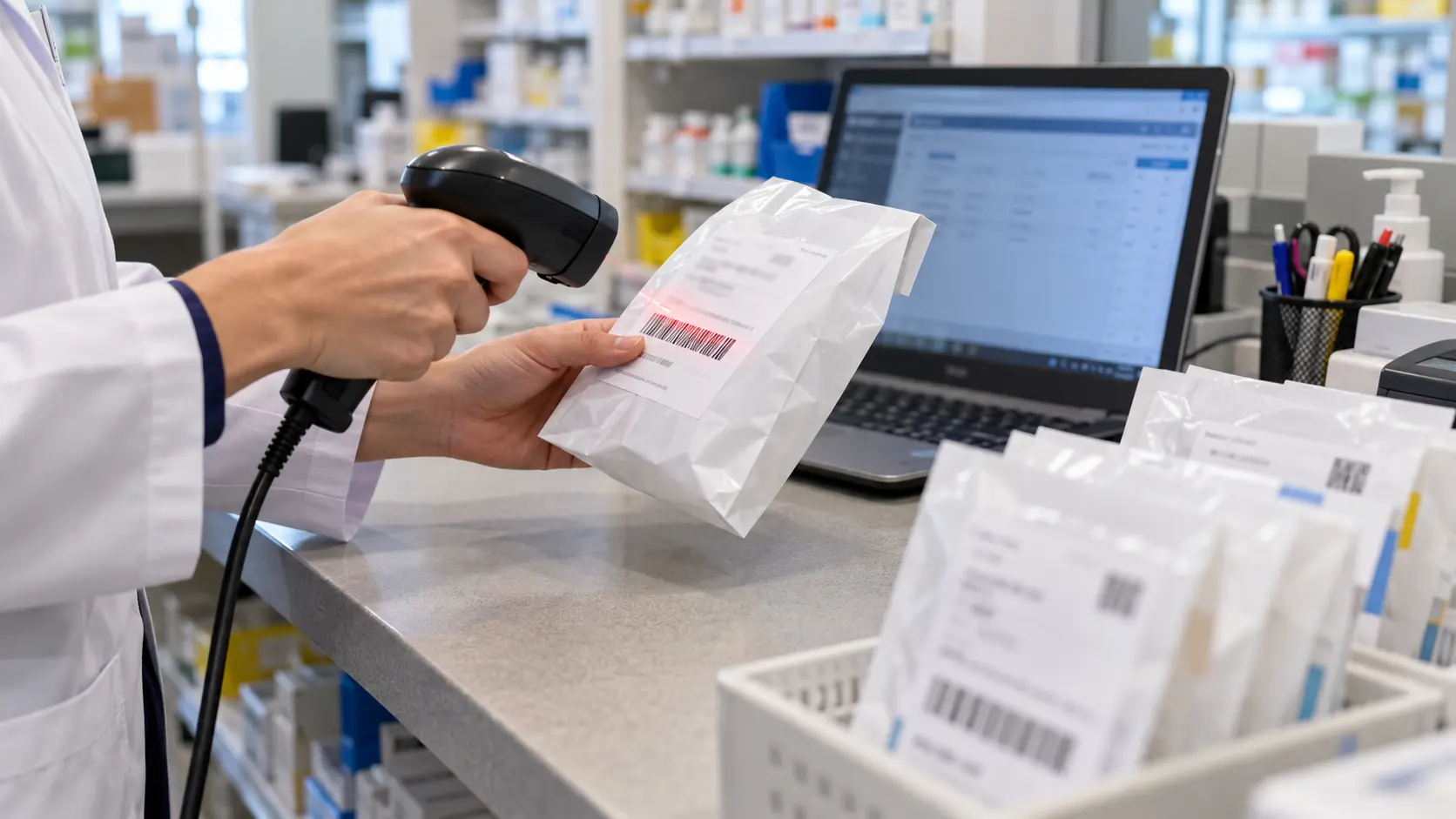
An integrated pharmacy delivery system ties together operations performed before, during, and after delivery. With an integrated workflow, the order is entered into the queue, dispatched to a driver who makes the stop, and results can be obtained without any need to retrace events from the paper and phone records.
Key features to consider:
- PMS integration and order synchronization.
- Route planning, driver dispatch, and tracking.
- Notifications to patients and proper delivery tracking.
- Delivery confirmation with digital signatures and photos.
- Reporting and record retrieval.
- Geolocation, user management, and authorization controls.
Among integrated pharmacy delivery software solutions, Rx4Route supports PMS integration, route optimization, real-time tracking, proof of delivery, and multi-location management.
Best suited for: Pharmacies that struggle to manage disconnected parts of their delivery operation. When reviewing pharmacy delivery tracking solutions, check whether live status updates link to the same order and delivery record. Use an integrated platform if reducing manual steps matters more than having a standalone routing solution.
Standalone Route Planning and Dispatch Tools
Independent routing software focuses on assigning drivers to sites and arranging their trips in the proper order.
Among pharmacy delivery software solutions, standalone routing tools may suit a pharmacy whose order management already works well but whose team spends too much time planning routes. This model assessment must focus on what exactly will be automated with the help of the software:
- Address and delivery data import from the existing systems.
- Trip creation in the delivery territory of the pharmacy.
- Reassigning stops when a driver is unavailable.
- Recording delivery failures.
- Reporting back the delivery results to the pharmacy.
- Handling additional work generated by keeping information in different systems.
The key tradeoff is fragmented operations. If employees need to keep copying data in different systems even after purchasing a cheap routing subscription, the latter can seem much less attractive.
Good fit for: Pharmacies with a stable order management and documentation process and whose main goal is dispatch optimization.
Multi-Location Pharmacy Delivery Systems
The purpose of multi-location pharmacy delivery software is to coordinate deliveries across more than one pharmacy location. In this use case, what sets the multi-location application apart is the need to coordinate local activities and provide network-wide information for management.
When assessing a pharmacy delivery application to be used by a chain of pharmacies, it is important to focus on more than its ability to support multiple location configurations. For instance, relevant questions to ask might be:
- Is it possible to have an individual order queue for each location?
- Can the regional management view the statuses of selected locations?
- Are locations segregated where necessary based on responsibilities?
- Can reporting identify the performance of pharmacies, regions, and teams?
- Is it possible to reassign a delivery without losing its history?
- How do user permissions work with staff operating at different locations?
A single dashboard's usefulness depends on how reliable and meaningful the underlying data is.
Courier-Oriented Delivery Management Platforms
While some pharmacies have their own fleet of vehicles, others rely on an external medical courier service provider. The courier-based system is all about managing delivery processes involving drivers, dispatchers, and multiple pharmacy customers if necessary. Such systems must maintain responsibility and data tracking regardless of whether the pharmacy and the delivery team are one organization.
Capabilities may include the following:
- Safe transportation of delivery orders for the pharmacy.
- Driver dispatching and route management.
- Information about delivery order status that can be accessed by the pharmacy.
- Delivery proofs linked to specific delivery orders.
- Report generation according to customer and delivery history.
- Courier or driver invoice management.
- Ability to manage multiple depots, branches, and pharmacy accounts.
Rx4Route provides a medical courier management system with pharmacy integration, live tracking, delivery proofs, billing, and driver payroll modules. Pharmacy workflows show why general dispatch capabilities aren't enough for delivering medications.
Best for: Medical couriers and pharmacies with deliveries requiring third-party involvement, multiple customer accounts, or comprehensive courier management.
| Software approach | Main purpose | Strength to look for | Limitation to examine | Best-fit operation |
|---|---|---|---|---|
| Integrated pharmacy delivery platform | Connect prescription delivery workflows | PMS sync through completion records | Integration scope and onboarding work | Pharmacies seeking end-to-end coordination |
| Standalone routing tool | Plan stops and assign routes | Practical route changes and driver usability | Possible gaps in PMS and delivery documentation | Pharmacies with existing connected order records |
| Multi-location management system | Coordinate delivery across branches | Centralized and branch-level visibility | Permissions, reporting consistency, and expansion | Chains and multi-branch organizations |
| Courier-oriented platform | Coordinate pharmacies and courier teams | Client-specific dispatch, records, and billing | Pharmacy workflow compatibility | Medical couriers and outsourced delivery operations |
The best choice is the one that meets all your key processes with the least handoffs. The category name is just a label, not proof that each and every product in the category has those features.
How to Compare Pharmacy Delivery Software Solutions
Quick Answer: Key elements for comparing pharmacy delivery software include PMS compatibility, automated order entry, route and driver management, proof of delivery, data security, implementation support, and total cost of operation. Make a list of your must-have features, and then evaluate the rest. Have all the providers show you their full delivery cycle with your pharmacy’s system.
A pharmacy delivery software comparison based only on feature counts is likely to reward complexity over usability. One tool will have more features for reporting, but the other will manage the pharmacy's current PMS and deliveries better with minimal effort on your part.
For each critical feature, look at three factors: whether the product offers the feature, whether it is compatible with your system, and how you are able to proceed without the feature.
PMS Integrations and Automated Order Sync
A PMS is the system where the pharmacy is in charge of performing critical prescription workflows. Delivery software should coexist with that environment without forcing staff to manually duplicate order information in a separate system. Therefore, the ability to integrate becomes one of the most important factors when selecting the best prescription delivery software.
Ask the vendor to show and explain:
- What PMS solutions and versions are supported.
- What fields are passed from the order to the delivery queue.
- In which direction updates flow - one-way or two-way.
- What data is returned after the completion of a driver's stop.
- How changes, cancellations, and duplications are managed.
- What is shown when synchronization is stopped.
- Is there any extra configuration or an integration fee required?
The two-way integration should mean something specific - the integration partners have to understand what exact events and fields are synchronized in a two-way manner. Some healthcare interoperability notions, like the federal ONC overview of HL7 FHIR, provide some necessary information about the structure of data exchanges. However, a vendor's mention of an API or any other standards does not confirm the capability of integration with the target PMS.
Rx4Route describes two-way PMS/API integration and automated order management. Pharmacy teams should establish the exact supported workflow for their own environment.
Route Optimization, Tracking, and Driver Tools
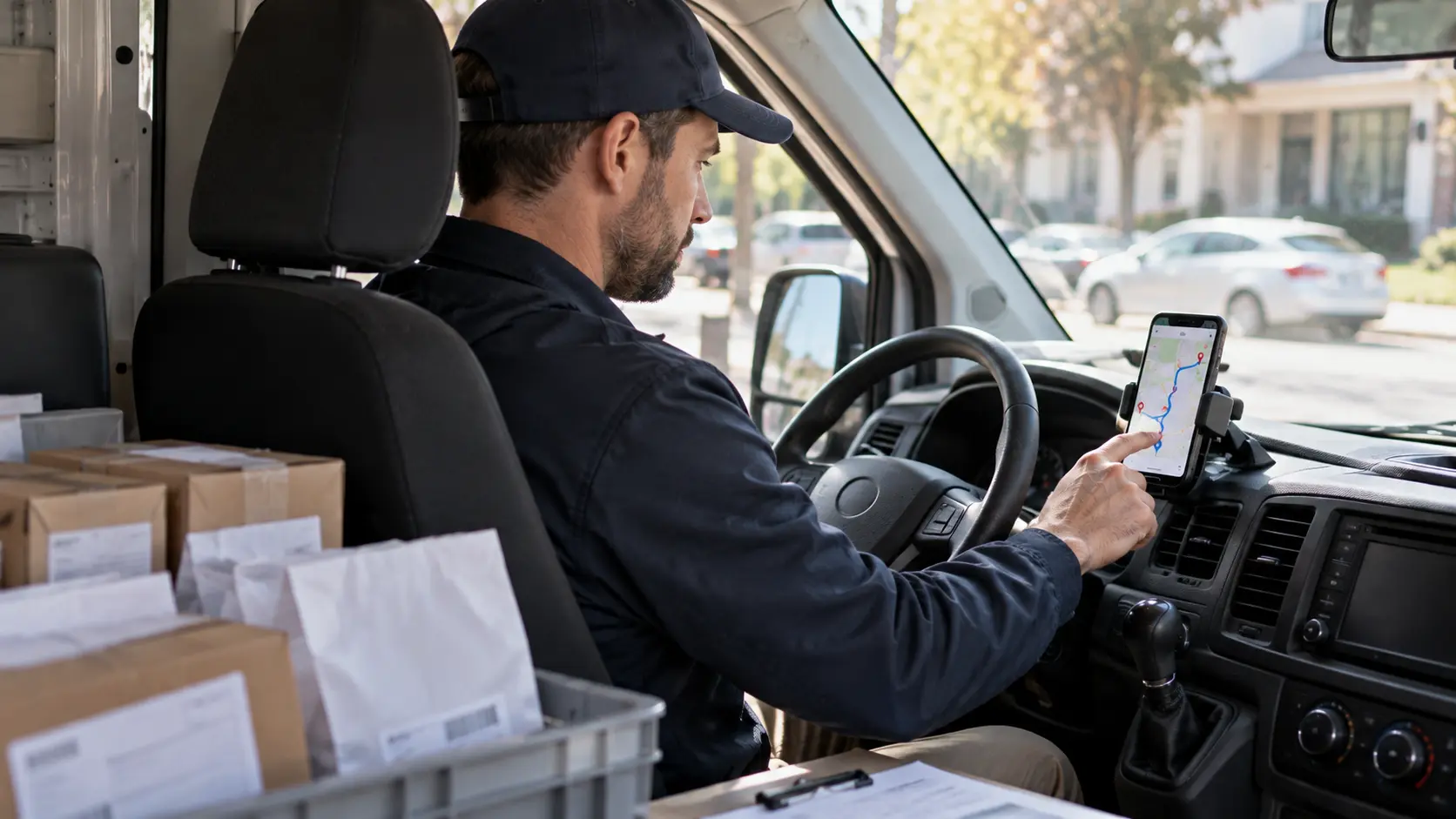
Routing, dispatch, and tracking are different yet interrelated. Routing deals with arranging stops. Dispatch deals with assigning the task. The role of pharmacy delivery tracking solutions is to make route progress and delivery statuses visible to authorized users. An efficient system will combine these operations as opposed to making employees input the same data multiple times.
An effective demonstration will require completing the following tasks:
- Plan a route on the basis of newly imported orders.
- Allocate orders to one or more drivers.
- Make changes to the route after dispatching.
- Show what the dispatcher is seeing as the driver proceeds along the route.
- Present the view of the driver at one particular stop.
- Input data regarding late/failed delivery.
- Illustrate how this information looks to the pharmacy staff.
The systems of tracking pharmacy deliveries must be assessed from the patient’s perspective as well. Notifications will reduce the frequency of calls to the pharmacy for information, but the message content, timing, and privacy are important. The information about delivery must be communicated without disclosing unnecessary data.
For a small pharmacy, the use of the route board might suffice. For a large chain, multi-location pharmacy delivery software should allow branch dispatchers to work locally while management oversees the network.
Proof of Delivery and Patient Data Security

Even with pharmacy delivery tracking solutions, a status marked as delivered does not necessarily provide a complete delivery record. The pharmacies may have to verify who the recipient of an order was, when it was delivered, how the exception occurred, and where it is documented. This will depend on the delivery method and any applicable policies.
Analyze how the software addresses:
- Electronic signature and linking of the signature with the order.
- The use of photographs, timestamps, and driver comments where applicable.
- Cases where deliveries failed and were corrected.
- Search function and exporting the records.
- Permissions for access to data by pharmacists, drivers, and managers.
- Data retention parameters, backup, and security of the patient data.
Data protection is another topic to consider, rather than just an inherent part of electronic signatures or GPS tracking systems. As stated in the HHS guidance on software vendors and business associates, a vendor that needs access to the protected health information to deliver the service may be considered a business associate.
The HHS minimum necessary standard also limits access to the minimum necessary for permitted uses and disclosures; access must be limited to what is necessary for the use or disclosure at hand. Question what drivers and administrative users have access to.
Implementation, Customer Support, and Total Costs
The lowest subscription does not mean the lowest operating costs in all cases. Delivery software affects employees, drivers, management, integration, accounting, and client communications.
Consider the overall picture of commercial and implementation:
- Fees for platform usage and business model.
- Setup, integration, and data migration fees.
- Fees associated with location, user, driver, or delivery volume.
- Training of pharmacy staff and drivers.
- Support service and support hours.
- Extra fees for additional workflow or reporting.
- Options for exporting data, offboarding.
- Remaining time dedicated to manual coordination post-launch.
DO NOT evaluate return on investment based on the marketing materials only. The pharmacy can calculate operating costs by tracking time spent importing orders, planning routes, answering status calls, fixing orders, and creating delivery paperwork. Compare these baselines with actual pilot performance.
| Criterion | Priority for most pharmacies | Evidence to request | Decision implication |
|---|---|---|---|
| PMS compatibility | Critical | Working demonstration with the existing PMS | Exclude a solution that cannot support essential order flows |
| Order synchronization | Critical when manual entry is costly | Edited and completed order tests | Favor fewer repeated manual steps |
| Dispatch and driver tools | Critical for managed fleets | Live route and exception walkthrough | Favor software that matches the driver's daily work |
| Proof of delivery | Critical where required records are necessary | Sample completed and failed-delivery records | Check the evidence your operation actually needs |
| Security and access | Critical | Vendor documentation and contractual review | Assess risks before exchanging patient information |
| Multi-location controls | Critical for chains | Branch permissions and consolidated reporting demo | Choose centralized tools if branches must coordinate |
| LTC, DME, billing, payroll | Conditional | Workflow-specific demonstration | Treat as essential when central to the business |
| Implementation and cost | Critical | Written scope, support terms, and full quotation | Compare the complete solution, not headline pricing |
A practical decision should exclude platforms that fail a critical criterion before comparing optional features. This is more reliable than adding feature counts together and declaring the longest list the winner.
Independent Pharmacies vs. Chains: What Works Best?
Quick Answer: Independent pharmacies and drugstore chains share many delivery needs; however, the importance of each varies by business type. While an individual pharmacy focuses on order processing speed, dispatch efficiency, and access to delivery history, a pharmacy chain has additional considerations, such as permissions, visibility, and reporting.
Pharmacy size is a good starting point, but it doesn't tell the whole story about delivery complexity. The services provided, delivery schedule, number of drivers, and distribution of responsibilities can also help you determine which software will suit you best.
In this case, pharmacy managers should first establish their business operations and probable changes before choosing their pharmacy delivery software.
Delivery Software for Independent Pharmacies
Independent pharmacy staff usually handle prescription delivery every day, answer patients' questions, process orders, and communicate with drivers.
Delivery software should streamline the process, not add extra duties.
Consider only those features which will assist you in performing your usual duties:
- Order management: Orders should be automatically integrated with your PMS without any duplicate entries.
- Easy dispatch: Your employees should easily monitor pending deliveries, plan routes, and appoint drivers.
- Driver management: Drivers require instructions and a convenient tool for reporting delivery status.
- Automated notifications: Patients receive automated notifications; that way, you decrease calls about the delivery.
- Delivery logs: You require easy access to signatures, pictures, timestamps, and notes.
- Support: It should be obvious where you can find help with technical issues.
Smaller pharmacies do not need every extra module. The best prescription delivery software for them is the system that saves staff time and keeps daily deliveries organized.
Multi-Location Management for Pharmacy Chains

When evaluating multi-location pharmacy delivery software, a key decision is which functions to manage centrally and which to leave with each branch. Such an analysis will help ensure consistency across the network while accounting for each pharmacy's distinct delivery territories, customer demands, staff schedules, etc.
Think of functions that could fit two levels at once:
- Special queues for each pharmacy branch for deliveries.
- Central management of authorized regional or network managers.
- Branch-specific and cumulative delivery reports.
- Driver assignment flexibility where it is needed based on the chosen model.
- Standardized delivery documents in all locations.
- Proper user permissions based on employee duties.
- Easy location management – add/delete/update.
Imagine a company with multiple locations, but each branch manages its drivers separately. The network management team may require completion and exception reporting, but they don’t want to control the routing process locally. In other cases, a centralized dispatch center coordinates drivers across multiple branches.
Pharmacy chain preference: Select software for multi-location delivery of pharmacies that provides centralized visibility together with actual processes at the branch level. An overview dashboard for all locations isn't enough, because local teams can’t solve missed stops or missing files.
Managing LTC and DME Delivery Workflows

LTC and DME deliveries are significant because they can affect the unit of work. At a facility delivery, multiple patient orders may be available, while a DME delivery may involve item, rental, or billing documentation. This kind of service requires more focus than just showing the basic example of how to address and sign for a delivery.
In relation to LTC deliveries, study how the software deals with:
- Multiple orders intended for one facility.
- Planned or recurring deliveries.
- Batch and sort without loss of order visibility.
- Delivery results that could be viewed by the pharmacy.
For DME deliveries, review item identification, delivery documentation, purchasing or renting workflows, and billing coordination when needed. The CMS guideline on documentation for DMEPOS specifies proof of delivery as one of the documentation needed to substantiate Medicare claims of covered equipment and supplies. Requirements vary by item type and delivery; a routine prescription delivery should not be treated as Medicare DMEPOS delivery.
The Rx4Route's DME delivery software includes PMS order synchronization, route coordination, proof of delivery, and billing functionality for relevant DME workflows.
In-House Drivers vs. Medical Courier Partners
The delivery personnel might be pharmacy employees, a separate medical courier firm, or a combination of both.
If the drivers work for the pharmacy, the organization would need strong control over how orders are distributed among drivers and dispatch. In such a case, the software should provide easy interpretation of the delivery route status and easy access to delivery paperwork without contacting the driver.
In case the deliveries are performed by an external courier, focus your attention on:
Order delivery transfer from the pharmacy to the courier.
- Responsibility for the dispatch is divided properly.
- Continuous status reports delivered back to the pharmacy.
- Delivery record connected to the pharmacy order.
- Pharmacy client reporting.
- Courier invoicing/payment processing.
Rx4Route’s medical courier software offers features including pharmacy-related integrations, dispatch, proof of delivery, invoicing, and driver payroll processing. Based on these published features, Rx4Route could be considered for further evaluation.
The best choice for the outsourced operation would be the system in which pharmacies and couriers could follow the same order.
| Operating requirement | Independent pharmacy | Pharmacy chain | What should drive the decision? |
|---|---|---|---|
| Order synchronization | Reduce repetitive staff entry | Support consistent data flows across branches | Existing PMS setup and integration coverage |
| Daily dispatch | Simple queue and driver assignment | Branch dispatch or centralized coordination | Who actually controls routes? |
| Delivery tracking | Clear status for staff and patients | Branch and network visibility | Who needs access to each status? |
| Proof of delivery | Easy capture and retrieval | Standardized documentation across locations | Required records and access policies |
| Reporting | Practical daily exception and completion view | Comparable branch and consolidated reports | Which decisions the reports must support |
| LTC/DME support | Needed if these services are offered | Needed where branches share specialized workflows | Actual mix of delivery types |
| Setup and support | Straightforward training and ongoing help | Repeatable onboarding across locations | Expansion plans and administrative resources |
Independent pharmacy software does not have to be simplistic, and chain software does not have to be difficult. The most suitable pharmacy delivery software solutions are those that make the pharmacy's actual operating model easier to manage.
Pharmacy Delivery Software Selection Examples
Quick Answer: The appropriate software solution depends on the nature of the key issues at hand. A manual order entry for pharmacy deliveries needs PMS integration more than anything else. A multi-branch network should focus more on location-specific controls. A pharmacy that handles prescriptions, LTC, and DME deliveries needs specialized batching and documentation before route-planning benefits.
The scenarios below are examples of actual operating scenarios and do not reflect the experiences of customers. This pharmacy delivery software comparison applies the same criteria to realistic pharmacy settings without assuming every operation has the same requirements. Each scenario starts with a workflow problem and then identifies which functions resolve it.
A Single Pharmacy With Manual Delivery Dispatch
Picture an independent pharmacy where the employees receive orders using their PMS, and then have to duplicate them into some other system or even print them. Then the dispatcher calls drivers for status reports. At the end of the working day, signatures and delivery notes are gathered from various sources. None of these tasks require an oversized delivery fleet that would create unnecessary work.
The purchase decision will depend on how well this process works.
- Is the delivery queue capable of receiving orders directly from the current PMS?
- Are the employees able to assign drivers without duplicating orders?
- Do the drivers receive the correct directions for all deliveries?
- Do the completed delivery documents go back to an accessible place?
- Is it possible to find an unsuccessful delivery without calling people multiple times?
A stand-alone route planner can handle all these stops efficiently but will not solve the whole task as long as manual order transfer and gathering of documents persist. A pharmacy delivery solution is much more preferable due to the nature of the problem.
A Pharmacy Chain Centralizing Multiple Locations
Imagine an organization that provides pharmaceuticals and has individual branches running their deliveries, but a regional manager requires standardized reporting and monitoring capability. Sometimes they use their own drivers, sometimes collaborate with a common delivery crew. Individual applications may provide local insights but fail to report across the whole network for analysis and comparisons.
The decision should focus on the following:
- Can all branches handle their orders independently?
- Can network managers obtain aggregated data status reports?
- Is it compatible with the way the organization runs?
- Are the definitions of completion/exception consistent?
- Are permission parameters capable of preventing leakage of location-related data?
- Can newly established branches integrate into the existing process?
When choosing multi-location pharmacy delivery software, focusing only on delivery optimization settings can distract from the main goal: consistent branch controls, reporting, and integrations.
Recommendation: A solution that integrates with your business processes and provides efficient branch management capabilities and network operational visibility. When a vendor offers a one-location dashboard, ask to see the chain management workflow first.
A Pharmacy Handling LTC and DME Deliveries
What if there is a pharmacy that offers home prescription deliveries, sends recurrent orders to LTC facilities, and provides certain DME devices? In this case, one driver's route will include individual homes, an LTC facility with several orders, and equipment deliveries with additional documentation needs.
An example of the proper software demonstration should include the above-mentioned three scenarios, not just the regular home delivery:
- Bundling of orders sent to the same LTC facility, keeping order-based records.
- Presenting different types of deliveries on one route.
- Generating the correct proof for every delivery type.
- Dealing with an unsuccessful delivery or partial delivery based on the appropriate workflow.
- Fetching the necessary information about items and orders for review.
- Handling invoicing and payments.
A minimum routing solution can sort addresses, while staff will have to complete the other activities manually. Maybe specialized delivery software for pharmacies would suit better.
The suggested fit: specialized delivery software for pharmacies with LTC batching, DME documentation, and corresponding billing features. The exact features are to be considered.
| Pharmacy scenario | Main problem | First features to assess | Most relevant software approach | Next practical check |
|---|---|---|---|---|
| Single pharmacy with manual order entry | Disconnected order and delivery records | PMS sync, dispatch, proof of delivery | Integrated pharmacy platform | Run an order from PMS to completion |
| Single pharmacy with established records but inefficient routes | Time spent organizing stops | Route planning, dispatch, exceptions | Standalone routing or integrated platform | Compare route changes in a live demonstration |
| Chain with separate branch teams | Limited network visibility | Branch permissions, reporting, centralized oversight | Multi-location pharmacy platform | Test branch and network user views |
| Pharmacy with LTC and DME services | Specialized batching and documentation | Facility batching, item records, proof, billing | Pharmacy-focused integrated platform | Demonstrate actual LTC/DME workflows |
| Pharmacy using an outside courier | Fragmented communication and records | Order exchange, tracking, courier reporting | Courier-capable integrated platform | Follow one order across both organizations |
These examples help you identify the first need a product must fulfill. After determining the need, further functionalities can be compared against each other without letting them overshadow the business problem.
Common Pharmacy Delivery Software Selection Mistakes
Quick Answer: The most common purchase errors include making the choice of software based on the price of subscription only, taking at face value the integration that has not been tested within the context of the workflow of the PMS, and mistaking GPS tracking for documentation of delivery. All of the above will mean more work for the pharmacy.
A good-looking presentation hides problems that surface when a package can't be delivered, a driver can’t access the patient, or a manager requests an old form. Can they deal with all of the normal problems that come up? Does it really replace what made the person buy it in the first place?
Choosing Software Based Only on Subscription Price
A subscription for pharmacy delivery software solutions may look affordable, but its price alone does not reveal the resources required for implementation. A subscription may be incomplete and lack necessary locations, integrations, driver accounts, training, and administrative capabilities required by the pharmacy.
Before comparing two prices, make sure that they have the same scope of operations:
- Number of pharmacy branches and drivers.
- PMS integration and maintenance.
- Historical data and exporting capabilities.
- Training, support, and onboarding.
- Specific workflows like LTC and DME delivery.
- Any billing, invoicing, or courier payroll if applicable.
A better price comparison will use the same feature set and account for the time employees spend on tasks not yet included in the software.
Skipping PMS Compatibility and Data Export Checks
While some pharmacy delivery software may have the PMS integration feature, this does not mean that everything will be synchronized automatically. There can still be a necessity to update delivery notes, canceled orders, statuses, and proof-of-delivery files.
Prior to making any decision about the platform that you are going to use, you should ask for a demo with orders similar to the ones that your pharmacy is dealing with on a regular basis. An edited order and a delivery failure are good options for a demo order.
Also, consider how your data will be handled if you switch software providers or shut down a pharmacy branch. Is it possible to export old delivery records? Is it going to stay accessible?
According to HHS cloud computing guidance, several factors matter when handling electronic protected health information.
Choose a software provider that not only synchronizes orders with the PMS but also makes delivery records accessible.
Confusing Live Tracking With Complete Delivery Proof
Pharmacy delivery tracking solutions can show a driver's progress, but live location data alone does not prove whether a delivery was completed successfully. Knowing a driver's location is different from having detailed information on the recipient and the delivery process.
When assessing potential software solutions, consider more than tracking functionality, and ensure records of the delivery process are available for every delivery made by a pharmacist. Drivers should have an option to document signatures, time-stamps, photos, or other relevant information while delivering shipments. In addition, pharmacists should be able to find information about all completed, failed, and rescheduled deliveries in one place.
In addition, documentation needs might vary based on the type of delivery. For example, Medicare DMEPOS deliveries will require more documentation than just delivered status.
Use software that offers both live tracking and detailed delivery documentation.
Expert Tips for Evaluating Pharmacy Delivery Software
Quick Answer: The most effective test should be done according to the actual sequence, that is, from the current PMS via dispatching and finally completing the delivery process. Analyze not only typical days but also exceptional cases, then divide needs into mandatory and non-mandatory requirements to compare products.
Pharmacy delivery know-how is put into practice. The published flow chart of Rx4Route shows the process from order generation to route management, including packaging, sorting, and finally delivery of the orders. This is a practical way to assess the software package, but not its testing.
Follow One Prescription From PMS to Delivery Proof
Use one sample delivery order as the testing case rather than ask for demos of individual modules.
- Open or create a delivery order in the pharmacy's PMS.
- Make sure that this order shows up in the delivery software with all needed details.
- Schedule the delivery route and choose the appropriate driver.
- Check what the driver sees before heading to the destination address.
- Check how the dispatch status changes during the route.
- Register the results of the delivery according to the requirements of the proof.
- Find this completed record and make sure the pharmacy staff can access the available details.
Register any instances when you have to type anything manually, copy some ID, call another worker, or use some other software. It is usually more useful than the features list of the software. Don't forget that a successful test case also includes the system's behavior during an incomplete stop.
Test a Typical Delivery Day Before Signing
A product demonstration should cover pharmacy operations, including changing priorities and responsibilities for pharmacy employees. A dispatcher from the pharmacy, a delivery employee, and at least one driver should be invited for observation or participation in the demo.
Use a small test every day:
- Import some regular orders for delivery.
- Distribute orders among drivers or routes.
- Create another order when the route is already made.
- Modify a delivery address or time requirement when possible.
- Note the missed delivery stop and determine further action.
- Retrieve completed and non-completed delivery orders.
- Make a report that the pharmacy could really use.
The test should consider usability and reliability of the program, and not just speed. Time savings estimates should not be presented if they are not proven by the pharmacy itself. If the pharmacy runs a pilot study, it does not need to present general results.
Separate Must-Have Features From Optional Extras
Features shall be rated according to their business process functionality. For many delivery businesses, order import accuracy, dispatch of drivers, order status discovery, securing of the patient's information, and record retrieval are critical functions. Others are only critical depending on the operating model adopted.
A useful pharmacy delivery software comparison separates requirements into two categories:
- Essential to current operation: A compatible PMS workflow, reliable order handling, dispatch availability, proof of delivery, necessary security measures, and business-oriented customer support.
- Critical only under certain conditions: Multilocational reporting for chain operations, LTC batch processing for facility deliveries, DME item processing for equipment providers, and courier or driver payrolling where the platform does those tasks.
Security considerations shall not be ignored in favor of check-boxes. HHS guidelines for security risk analysis highlight the importance of assessing risks to electronic protected health information within the organizational context. NIST Cybersecurity Framework 2.0 Small Business Quick-Start Guide offers an all-round framework for cybersecurity risk management planning.
Decision rule: Exclude options that don't meet essential operation and security criteria, then evaluate the remaining features in the suitable options.
Pharmacy Delivery Statistics and Key Industry Trends
Quick Answer: Figures for the independent pharmacy market illustrate why there is a need for delivery software to cater to multiple business models, but the numbers cannot pinpoint the best product. The key point is that industry numbers, pharmacy operating numbers, and vendor platform numbers are all different.
Statistics could be used to determine the scope and variety of the market. Statistics could not prove the reduction of costs and better delivery performance for a certain pharmacy after purchasing the software. To make that assumption, the pharmacy would need a specific baseline and context.
What Independent Pharmacy Market Data Shows
The National Community Pharmacists Association's 2025 Digest states that there is a big and diverse independent pharmacy market in the US. This market includes 18,960 independent community pharmacies as of July 2025, representing nearly 36% of all retail pharmacies. In addition, it was stated that 55% of the independent pharmacies that responded to the survey provide services for long-term care patients.
The other number mentioned is the average of 67,601 prescriptions per independent pharmacy store for 2024. This figure refers to prescriptions, not to deliveries; therefore, such an indicator cannot be used for estimating deliveries of independent pharmacies.
Implications are rather clear:
- Independent pharmacies are diverse.
- LTC services are relevant for a significant part of respondents.
- Prescriptions cannot be compared with deliveries.
- Software comparison should take into account service mix, not business size.
From the perspective of a buyer, this information proves one point: a one-store business can require specific workflows while others just require reliable prescription delivery management.
Delivery Performance Metrics Worth Tracking
When evaluating pharmacy delivery tracking solutions, pharmacies should also check which performance metrics they can measure from their own operational records. Helpful metrics include delivery volumes, stops per driver, on-time deliveries, delivery failures, and the completeness of delivery documentation. Administrative metrics are also important for the software designed to automate the process.
Define key terms to ensure their consistency:
- Successful deliveries: Stops registered as successful deliveries in a given measurement period.
- Delivery completion on time: On-time deliveries as a percentage of deliveries with a specified applicable delivery window.
- Exception rate: Deliveries needing rescheduling, follow-up, or some other exception management based on a specified documentable exception classification.
- Proof completeness: Deliveries with complete proof divided by deliveries for which complete proof was needed.
- Manual handling time: Staff time spent on manual order replication, status inquiries, and document searches.
Comparisons need to be done in relation to similar measurement periods and delivery types. Route density, operating hours, patient availability, and delivery order composition can influence metrics without affecting software performance.
How to Assess Vendor Performance Claims
Rx4Route reports that their platform serves more than 1,500 pharmacies and manages more than 70,000 deliveries per day. These are scale numbers reported by the company on its official platform website and are not from an independent study of customer outcomes. The cited web page does not report the period or method used to calculate these numbers.
Some things to consider while interpreting any vendor's statistics include the following questions:
- For what time period is the number reported?
- What is defined as an active pharmacy, order, or completed delivery?
- Is the data collected from all customers or a selected sample?
- Are various kinds of delivery numbers combined?
- What does the number measure (usage, reliability, improvement)?
- Does a potential customer get to see the outcome data in a case study?
Although a large number of deliveries may give some idea of the platform's reported operational scale, it does not guarantee the outcome you can expect for your pharmacy.
| Metric | Reported figure or definition | Period or source | What it means for a buyer |
|---|---|---|---|
| Independent community pharmacy locations | 18,960 | NCPA, July 2025 | Context for the U.S. independent pharmacy market |
| Share of U.S. retail pharmacies | Nearly 36% | NCPA, 2025 Digest | Shows the significance of independent pharmacy operations |
| Respondents offering LTC patient services | 55% | NCPA, 2025 Digest | Indicates the relevance of LTC-specific workflows |
| Average prescriptions per independent store | 67,601 | NCPA, 2024 | Prescription volume only; not a delivery count |
| Rx4Route pharmacies served | More than 1,500, company-reported | Rx4Route website, reporting period not stated | Platform scale claim, not a promised customer result |
| Rx4Route daily deliveries | More than 70,000, company-reported | Rx4Route website, reporting period not stated | Claimed delivery activity, not an on-time performance measure |
| On-time, exception, and proof-completeness rates | Calculated from the pharmacy's own operational records | Pharmacy-selected measurement period | Measures actual local workflow performance |
Case Study: An Integrated Pharmacy Delivery Workflow
Quick Answer: A good example of a pharmacy delivery case study does not just focus on one part of the process or even a particular screen. Rx4Route connects PMS order entry, route planning, dispatching, delivery completion, and documentation. Below is an illustration of how the process takes care of the various coordination points.
Unlike a customer's experience, which is not shown in this illustration, Rx4Route's delivery process follows the delivery flow provided in its guidelines. It demonstrates the possible way order management, dispatching, driver assignment, and delivery documentation can be integrated into one process.
When choosing delivery software, pharmacies must consider how easily orders can move between processes, whether manual data entry is needed, and how delivery reports will be saved and retrieved.
The example below shows how Rx4Route does it, but it doesn't guarantee specific performance or results for any customer.
The Problem: Information Spread Across Delivery Steps
For example, look at the operations issue stated on the DME page of Rx4Route's website: order and equipment deliveries can be handled in different systems, with employees manually copying order data and dealing with separate delivery and billing documents. This is what the product aims to solve; this is the issue which needs to be addressed, rather than the outcome for a specified customer.
A process review for this operation must start with asking relevant questions to the staff of pharmacies:
- Where does each prescription/equipment order come from?
- Who puts it into the delivery schedule?
- How are stops created when multiple orders are being delivered to the same place?
- What does the driver get prior to going out?
- How are signatures/photos/notes attached to the order?
- Whose responsibility is it to get the finished order back later?
If staff cannot give the same answer to all of them, adding a new route map won't solve the whole issue.
The Approach: Connected Ordering, Dispatch, and Proof
According to Rx4Route, their DME delivery process follows an order of integration, synchronization, dispatch, delivery, and billing. The Rx4Route DME delivery workflow, which is publicly available, claims that the DME and the prescription orders can get into the delivery dashboard through the PMS, and that the platform is capable of routing, delivering digitally signed proof of delivery, and invoice generation.
The walkthrough for a potential user of Rx4Route DME delivery would be as follows:
- Order qualifies and is entered following the pharmacy’s PMS workflow.
- Integration allows delivery information to be made available through the platform.
- Dispatcher arranges deliveries, assigns jobs to a driver.
- Driver executes delivery and logs the results.
- Digital delivery proof is tied to the order where possible by the workflow.
- Pharmacy staff have access to status and records; appropriate billing is managed through the configured workflow.
This workflow needs to be demonstrated on the buyer’s own PMS and delivery type. Whether a particular field, status, or invoice can be synchronized will depend on the integration.
The Decision: What This Workflow Proves and Does Not
This guide highlights the key difference between an integrated pharmacy delivery platform and a solution that only handles route sequencing. An integrated delivery platform is meant to unite operational steps that are normally performed by the pharmacy individually. It shows why specific DME and LTC functionality may affect the choice when such deliveries are a regular part of the pharmacy's operations.
The presentation does not prove that any pharmacy will be able to get certain time savings, on-time delivery percentage, decrease in calls, or any other financial benefit. It also doesn't mean that a product description substitutes for the evaluation of necessary documentation and compliance with information protection standards.
A logical continuation would be to request a demonstration with:
- PMS used by the pharmacy and related integration flow;
- Regular prescription delivery and any special types of deliveries;
- Changed orders and failed delivery attempts;
- Delivery report, including all the necessary proof;
- Reporting from branches and/or courier invoices in case those features are important for the buyer.
A customer should choose the platform whose workflow corresponds to their daily duties and whose terms of cooperation satisfy their needs. This statement is proven by the workflow itself.
Conclusion: Choosing the Right Pharmacy Delivery Platform
The best prescription delivery software doesn't necessarily have the most modules; it connects the processes your pharmacy needs, manages required records, and works reliably with the systems your employees already use. Begin with an understanding of how the order process flows from the PMS to the driver and then back to the pharmacy.
For independent pharmacies, focus on reliable order synchronization, efficient dispatching, patient communications when necessary, and access to the delivery proof. For chains, multi-location pharmacy delivery software should provide branch permissions, consolidated reporting, and room to scale. Pharmacies with LTC and DME deliveries will require batch processing and special documentation at the very beginning of your selection process. For medical couriers, analyze the interconnections of your pharmacy clients, drivers, records, and invoices as well.
Do not base your assessment on preconceived notions about different types of software applications, but test the various solutions using real-life workflows. Verify PMS compatibility, check out finished documents, and evaluate privacy and security considerations as well as total implementation costs.
If your pharmacy needs a holistic solution, explore Rx4Route's Pharmacy Delivery Management system and see how its proven features meet your needs. You could even get in touch with the Rx4Route team for consultation on your existing PMS, delivery methods, location, and dispatch system to determine if the platform suits you.
Frequently Asked Questions About Pharmacy Delivery Software
Can patients receive delivery updates without installing an app?
Patients can receive delivery notifications via text or phone call without downloading any application. Rx4Route allows for automated patient notifications. In selecting the best prescription delivery software, it is important to identify the kind of notifications that are available.
Can pharmacies set a cutoff time for same-day delivery orders?
A few delivery systems in pharmacies provide the ability to set deadlines for orders or group them into delivery slots. While looking for multi-location pharmacy delivery software, find out whether deadlines can differ by location, what happens with late orders, and if any exemptions can be made.
What happens when a patient refuses a medication delivery?
It would be helpful for the driver to report the patient as declining the delivery so the pharmacy can be notified. When doing your pharmacy delivery software comparison, see whether this feature exists.
Why is QR-code scanning useful in pharmacy delivery?
QR-code scanning allows the pharmacy staff and drivers to identify the correct delivery order for packages. Rx4Route offers QR-code scanning. Investigate when scanning is performed, how mismatches are processed, and whether scanning is performed for all deliveries.
Can delivery software replace temperature monitoring for medications?
No. Delivery software's route-planning and tracking features do not automatically provide temperature monitoring for medications during transport. It is the responsibility of the pharmacies that deliver temperature-sensitive medicines to ensure temperature management.
Can temporary or part-time drivers use pharmacy delivery software?
Driver access and restrictions differ across different delivery platforms. Ask whether you can add temporary drivers, train them on necessary actions, restrict them to certain routes, and remove them from the software once they complete their shift.
Can pharmacy delivery software manage recurring delivery schedules?
Some pharmacy delivery solutions enable the scheduling of recurring deliveries for customers who take medicines on a regular basis. Find out whether delivery schedules can be modified for holidays, prescription changes, or interruptions without creating a new order.
Can pharmacy delivery software help manage copay collections?
Delivery drivers may be in zones with poor mobile connectivity; therefore, it is important to know how the system behaves when internet connectivity is unavailable. Ensure that deliveries are shown, offline proof of delivery is documented, and synchronization is successful once the connection is restored.
Is offline access important for pharmacy delivery driver apps?
Drivers may be in areas with poor cellular connectivity, so the app needs to work in those circumstances. Does the app allow users to see stops, take proof of delivery, and then sync data later?
How should software handle deliveries to gated buildings?
Special instructions for accessing deliveries to apartments and gated complexes might be needed. When evaluating pharmacy delivery tracking solutions, consider whether the software lets the driver enter instructions and log an unsuccessful attempt without falsely marking the delivery as completed.
