
How to Choose the Right Pharmacy Delivery Software

Selecting delivery software is not simply a matter of choosing a map with routes that can be conveniently planned out. A pharmacy requires a process to efficiently connect all aspects, from the prescriptions to the dispatchers, drivers, customers, and the proof of delivery documents. When all of this depends on spreadsheets, phone calls, and paper, pharmacy employees may waste more time tracking delivery details than resolving problems as they arise.
A proper pharmacy delivery management system would integrate with your pharmacy management system, handle your delivery volume, and track each delivery's status. It should also support independent pharmacies, pharmacy networks, and LTC or DME delivery agencies.
Quick Answer: When choosing pharmacy delivery software, first map your current delivery process and identify the features your pharmacy can’t live without. Then look for guaranteed PMS integration, order synchronization, route planning and dispatch, real-time tracking, electronic proof of delivery, customer communication, proper security measures, and prompt customer support. Finally, run full delivery tests and analyze all the facts before you commit.
TL;DR
- Begin with your existing PMS, volume of orders, type of delivery, and drivers.
- Make it a point to consider order synchronization and delivery logging as basic prerequisites.
- Consider testing the routing, driver tracking, notification, and proof of delivery functionality collectively, not separately.
- Consider privacy and security before handing over patient data to the vendor.
- Consider aspects of training, integration, and growth while comparing prices.
- Select the software that passes the delivery workflow test with flying colors, not just the one with more features.
Introduction
Prescription delivery software supports several processes: order preparation, driver selection, route coordination, customer interaction, and tracking results. Even if a tool handles only one of these tasks, pharmacists may still have to switch between tools or duplicate information. This is because feature-by-feature evaluation of a potential software purchase does not provide enough context of its suitability.
This article takes you step by step through the process of deciding which pharmacy delivery platform is right for your independent pharmacy or multiple pharmacies under one management. You will learn how to identify the problems with deliveries in your practice, how to convert them into software requirements, what capabilities are vital and what are non-essential, and how to assess the level of security, special delivery types, pricing, and vendor support. Comparison tables and workflow evaluation tests are also included.
Assess Your Pharmacy's Delivery Needs
Quick Answer: Before assessing the vendors, take note of how your pharmacy manages the process for delivery order submission, allocation of the order to the driver, patient notification, and confirmation that the delivery is done. The information you need includes the number of pharmacies involved, your PMS system, maximum deliveries, geographic area served, responsibilities of staff members, and any special requirements for LTC/DME.
A pharmacy that handles a few deliveries around one outlet has different needs than an organization handling multiple outlets or drop-off points. Pharmacy delivery management software can be comprehensive on paper but still ill-suited if employees have to re-enter orders, a driver cannot mark an exception, or a manager can't see how things are going across all branches. Before moving on to demonstrations, identify what is wasting time, what mistakes are making life difficult, and what records need to be kept.
Map Your Current Prescription Delivery Workflow
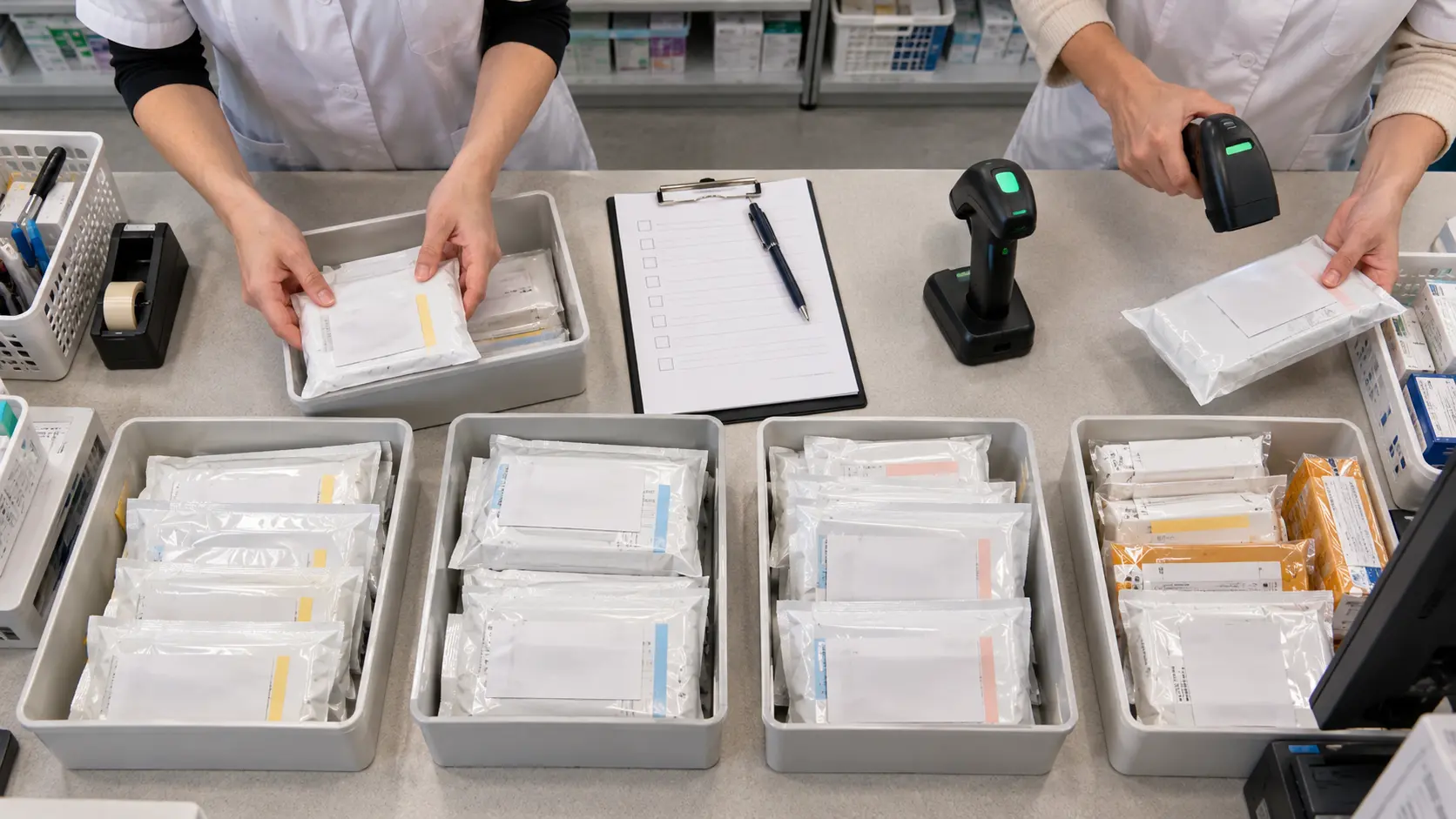
Follow the order from the time the pharmacy prepares it for delivery until the outcome of the delivery process is captured. Include people, processes, software, documentation, and handoffs, not just the actions the driver performs.
- Order creation: Determine where the order is initiated and where the necessary data gets input into the dispatching system.
- Preparation: Document how parcels get labeled, identified, and routed.
- Dispatching: Identify who groups the orders, plans the routes, and assigns drivers.
- In-transit: Identify how the progress of the delivery process is monitored and how calls from the patients are handled.
- Completion: Check how the driver captures the results of the delivery process (successful delivery, unsuccessful, refused delivery, etc.)
- Reconciliation: Find out where the status of the delivery process, necessary documentation, copayment information, and other exceptions are reviewed.
At each step, determine whether the employee passes information manually between screens or by phone call, while both parties know the same information. Such handoffs will most likely be automated. Look carefully at any possible exceptions: a flawless demonstration of the delivery process in an ideal situation tells very little.
Separate Must-Have Features From Optional Tools
Categorize needs into must-haves, high, and nice-to-have. Must-haves are mandatory to your process; high ones may have some kind of workaround, while nice-to-haves should not outweigh must-haves and critical mistakes.
A pharmacy that needs direct PMS integration should not treat it as a manual CSV export. Multi-branch reporting may be nice-to-have in one pharmacy but a must-have in many. Proof-of-delivery needs will vary based on the nature of the delivery.
| Pharmacy need | Must-have capability | Additional capability to consider | Question for the vendor |
|---|---|---|---|
| Avoid duplicate order entry | Compatible PMS data exchange | Two-way status synchronization | Which exact PMS and data fields are supported? |
| Coordinate daily deliveries | Dispatch and route planning | Dynamic route adjustments | Can dispatchers change an active route? |
| Track delivery progress | Order status visibility | Live driver location | How frequently does status update? |
| Record delivery outcomes | Searchable proof of delivery | Photo, signature, or scan options | What happens when delivery fails? |
| Operate multiple branches | Location-based permissions | Centralized reporting | Can managers see all authorized branches? |
| Communicate with patients | Delivery notifications | Flexible notification preferences | What information appears in messages? |
Selection rule: First, reject any pharmacy delivery management system that cannot support your essential workflows. Compare convenience features only among those that remain.
Compare Essential Pharmacy Delivery Software Features
Quick Answer: Core pharmacy delivery management software features include PMS integration, order syncing, dispatch, route optimization, driver management, tracking, proof of delivery, and patient communications. Assess the information exchange processes between these functionalities. A functionality that operates as an island while staff manually reconcile the records could be an incomplete solution to the existing process problem.
A system needs to monitor the order from preparation through delivery. However, the efficient route becomes less useful if the user has to manually update the PMS after everything is done. Likewise, the completion of the status alone is not enough without any delivery evidence. For example, compare different solutions in one situation where there is an error in the order and one unsuccessful attempt to deliver it. Rx4Route explains a connected pharmacy delivery process that includes order synchronization, dispatch, routing, tracking, and photo/signature capture.
PMS Integration and Automatic Order Synchronization
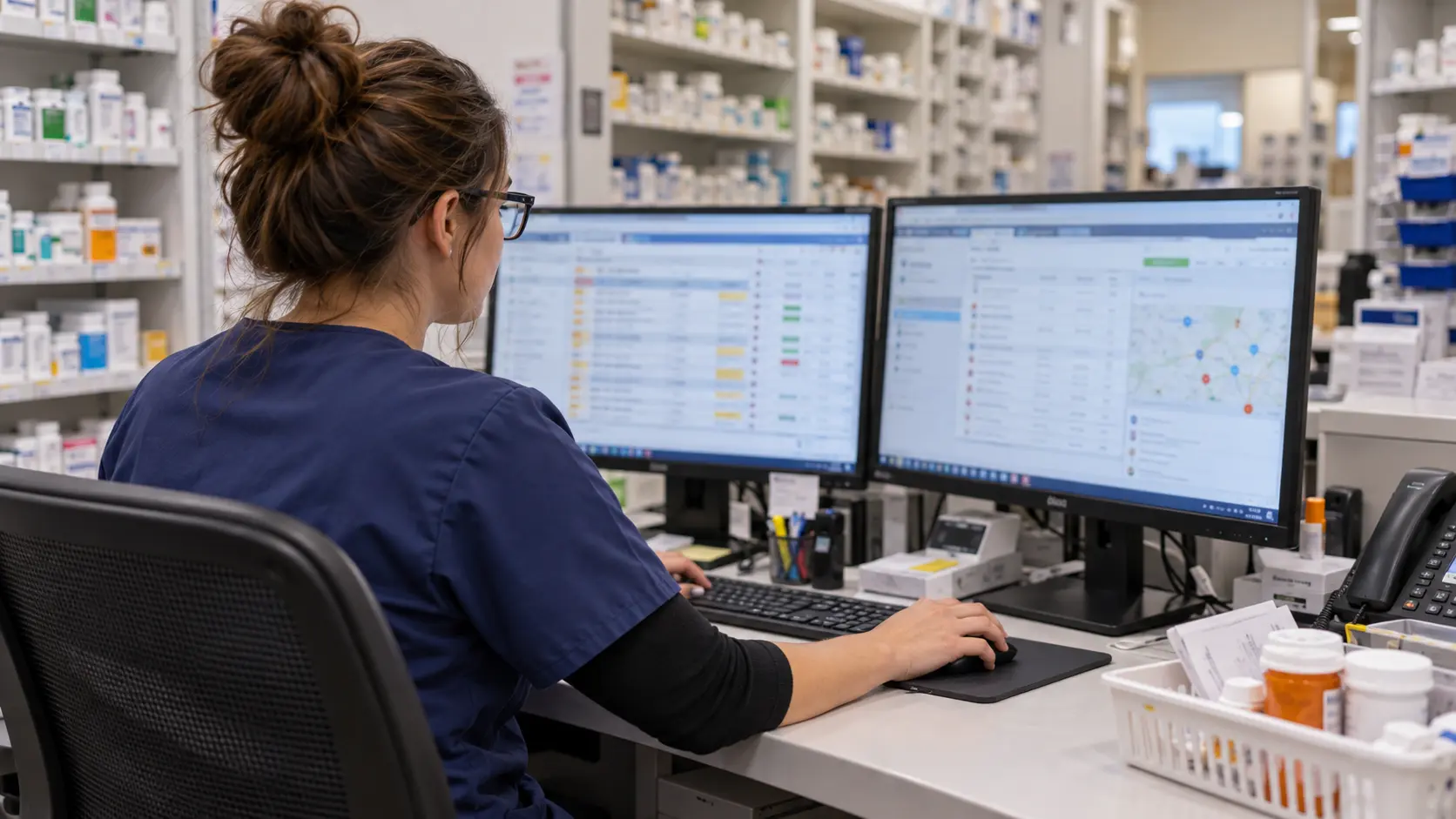
For prescription delivery software, PMS integration may be the first significant purchasing point for many pharmacies. Does the vendor have experience integrating into your particular PMS with that particular configuration? A general claim of integration does not equal an interfaced solution carrying the appropriate fields in the correct direction.
Consider these questions during a demo:
- Do eligible delivery orders auto-import into your system, or will your staff need to export and import orders?
- What order information, addresses, notes, and delivery options transfer?
- Do completion information and proof of delivery information get imported back to the pharmacy system?
- How do duplicates, address corrections, prescription cancels, and syncing problems get managed?
- Whose job is it to manage the interface when either side changes their software?
- Are there extra charges for the interface, maintenance, or onboarding?
The ONC interoperability guidelines cover the critical issue of health information exchange. Test actual data flows and permissions rather than taking it on faith that all integrations are the same.
Rx4Route specifies two-way PMS order synchronization that imports orders and provides delivery information. Make sure Rx4Route supports your particular PMS and fields in a real demo.
Route Optimization and Delivery Scheduling

Route optimization helps the dispatcher organize multiple stops. However, the efficiency of route optimization relies heavily on how many constraints the system can take into account. The shortest route may not always be the most workable one. Patient availability, delivery window, drivers' schedules, packages' readiness, and even the possibility of repeating the delivery attempt will determine what makes a workable route.
While testing prescription delivery software, make sure the vendor provides the following:
- Grouping orders that are ready for delivery and assigning them to routes and drivers.
- Updating the route in case a late order is ready for delivery.
- Adding service-time constraints if the system allows it.
- Revisiting the stops and altering the route plan.
- Repeating deliveries in case of failed attempts without loss of previous delivery record.
- Coordinating repeat destinations and scheduled deliveries at facilities.
Ask about the constraints the system takes into account using realistic stops. Rx4Route explains how routing, driver assignments, and routes are organized.
Real-Time Tracking and Driver Management
Pharmacy delivery tracking software must ensure authorized employees can easily understand order status without contacting the driver. The software must be able to tell the difference between an order pending dispatch, one assigned to a driver, one in transit, or one completed.
Below is what a good evaluation process will involve:
- Are employees able to quickly locate the order through an identifier/patient search?
- Can an authorized manager view assigned drivers and their current routes?
- Is there an easy way to contact or give a driver any update or special instructions?
- Will a change in order status be reflected in the dashboard immediately?
- How can a loss in connection with the driver's mobile device be dealt with?
- Are employees able to differentiate between order stops completed or those needing to be reviewed?
Pharmacy delivery tracking software can use GPS locations, order events, or both. Evaluate the rate of updates. Rx4Route provides driver location, a dispatch dashboard, and QR verification. Find out if employees can get enough information when work is hectic.
Digital Proof of Delivery and Audit Records
Delivery proof goes beyond being a simple green delivery status indicator. Depending on pharmacy policy and delivery requirements, useful evidence may include the order number, delivery result, time, location, recipient confirmation, photo, e-signature, driver comment, or the cause of delivery failure.
Consider whether the pharmacy delivery platform has the ability to:
- Gather evidence necessary according to your delivery policy.
- Match the evidence automatically to the right order.
- Maintain the distinction between delivered and undelivered deliveries.
- Keep the records searchable by pharmacy employees.
- Export the evidence and status history for internal use or audit request.
- Limit access to sensitive delivery information.
The signature or photo doesn’t ensure your regulatory compliance on its own. Figure out the record-keeping requirements for each type of delivery. Rx4Route explains QR scanning, geofencing, photos, signatures, and delivery evidence; examine the delivery evidence in the test order record.
Automated Patient Notifications and Communication
Although patients should be informed about delivery, more messages do not necessarily improve the patient experience. Assess messaging content, timeliness, patient consent, and reliability.
Ensure the software provides proper notifications for dispatch, estimated time of arrival, scheduling changes, delivery attempts, and delivery completion. Find out how a failed notification due to incorrect contact information and automated delivery are managed. Consider if patients have an effective means of providing delivery instructions through proper channels.
For privacy notifications, the HHS minimum necessary guideline provides guidance on disclosures. Examine SMS, email, and voice messages instead of using default notifications for every pharmacy.
| Feature | Why it matters | Practical test | Typical priority |
|---|---|---|---|
| PMS integration | Reduces separate order entry | Import, correct, and close a test order | Critical when direct integration is required |
| Route optimization | Coordinates driver work | Add a late stop to an active plan | High for multi-stop operations |
| Dispatch dashboard | Provides operational visibility | Reassign an order to another driver | High |
| GPS and order tracking | Clarifies current delivery status | Follow an active test route | High |
| Digital proof of delivery | Documents the outcome | Complete and fail separate test orders | Critical when documentation is required |
| Patient notifications | Communicates delivery changes | Trigger and inspect sample messages | High or medium depending on workflow |
| Reporting | Supports review and reconciliation | Export a day's completed and failed orders | High |
Pharmacy delivery management software is not necessarily better because it boasts a more elaborate menu. It should retain exact order information at all times and allow clean recovery in case of a pharmacy malfunction.
Check Security, Scalability, and Specialized Workflows
Quick Answer: In what situations would the use of pharmacy delivery software be appropriate? Pharmacy delivery software must match the organization's data protection level, access policies, logging, and delivery types. Study any agreements regarding security and privacy, verify branch access levels, and check if a specific workflow for LTC/DME is available if needed.
Medication delivery software operates across both logistics and confidential information dimensions. The address, recipient, prescription information, timing, and delivery status of deliveries need more attention than normal package delivery information. Your selection should consider all four aspects – operations, confidentiality, security, and contracts. The permission settings should account for all four user types in your pharmacy, rather than a single administrator login. You should ask the vendor to demonstrate how the driver receives only those pieces of information which he or she needs for his/her delivery and how the manager can retrieve records for review by his/her organization. Both LTC and DME processes should also be tested separately, as each process may require different packaging and administration.
Patient Data Security and HIPAA Considerations
Review documented safeguards, not security slogans. The HHS summary of the HIPAA Security Rule outlines administrative, physical, and technical safeguards for regulated electronic protected health information. Contractual duties depend on the parties, data, and services.
Questions for a vendor include:
- What patient and delivery data does the platform collect, transmit, and store?
- How are accounts authenticated and permissions assigned to drivers, pharmacy employees, and managers?
- What encryption, logging, backup, incident-response, and recovery measures are in place?
- How are access rights removed when an employee or contractor leaves?
- Where are data hosted, how long are records retained, and how can a pharmacy obtain its data?
- When a business associate agreement is required, what responsibilities and safeguards does it cover?
The HHS cloud guidance explains when providers may be business associates, while its sample BAA provisions cover key contractual questions.
The NIST CSF 2.0 Small Business Guide provides a risk-review framework, not evidence of any vendor certification. Assess current documentation with responsible staff.
Multi-Location Pharmacy Management

A multi-location pharmacy delivery management system requires much more than multiple accounts. Authorized managers need to know who is responsible for the order, who the driver is, and when the exception occurs.
What you need to look for during testing:
- Manager’s view for all authorized pharmacy branches.
- User view within a particular branch with limited information on orders and drivers.
- Proper assignment of orders to location and route.
- Same status definitions in all branches.
- Branch-specific and consolidated reporting reconciling with the orders.
- Process of adding another location, changing permissions, and/or reassigning the driver.
Rx4Route is a description of a multi-location delivery dashboard. Try out the permissions and reporting for your particular branches; centralization does not mean lack of accountability.
LTC, DME, and Specialized Delivery Support
Medication delivery software used for LTC deliveries may need to support repeat visits to facilities and batch orders. The DME business has additional considerations for dispatching, documentation, and billing. Try to test these separately from regular prescription orders.
In the case of LTC, test batching, packaging, and order reconciliations for one visit. In the DME process, track each order from scheduling and dispatching through delivery documentation to billing.
In Rx4Route, there is DME delivery management involving integration, dispatching, completion, and billing. Those pharmacies with delivery partners might want to try out their medical courier software solution.
Reporting, Invoicing, and Driver Payroll
Reports should identify completed orders, exceptions, missing evidence, and driver activity. Totals are less useful when staff cannot trace them to source records.
Request sample reports covering completed deliveries, failed attempts, driver assignments, branch activity, and delivery exceptions. Verify whether exports preserve order identifiers and dates in a form your finance and operations teams can use. If invoicing, copay tracking, or driver payroll are relevant, determine exactly what the system calculates, which fields can be adjusted, and how errors are corrected.
A delivery platform can support invoicing without replacing accounting software. Test a complete billing or payroll scenario before assuming an end-to-end integration. The NIST Privacy Framework can support review of access and data handling.
| Operating model | Requirements to prioritize | Useful demonstration |
|---|---|---|
| Single independent pharmacy | PMS sync, routing, tracking, delivery evidence | Process a day's orders from start to finish |
| Pharmacy network | Branch permissions, centralized oversight, location-level reports | Compare two branches in one manager view |
| LTC-focused pharmacy | Facility batching, repeat runs, item-level records | Process multiple orders to one facility |
| DME operations | Dispatch workflow, documentation, billing handoff | Follow an order through delivery and billing review |
| Pharmacy using delivery contractors | Driver access, assignment, monitoring, accountability | Assign and close a contractor-managed route |
Which Pharmacy Delivery Solution Fits Your Operations?
Quick Answer: The right pharmacy delivery platform depends on which operational constraints matter most. Independent pharmacies often prioritize easy dispatch, PMS connectivity, and clear delivery confirmation. Networks may need location controls and centralized reporting. LTC and DME operations should give greater weight to specialized batching, delivery evidence, and workflow-specific billing information.
The examples below illustrate the criteria changes depending on the operational model; however, they are not real customer examples. The criteria for a single-store pharmacy include an import-and-dispatch process only. However, a network will require branch management and reporting capabilities. To work on LTC or DME, try grouped orders, package scanning, and billing transition. In all cases, it is important to take into account potential growth, staffing, and your current PMS. This makes a comparison of operational flows more valuable than saying which category of software is generally better. Make sure vendors perform identical tests.
Independent Pharmacies With Local Deliveries
Let us look at an independent pharmacy evaluating medication delivery software for prescriptions already made to close-by patients by means of a limited number of drivers. The personnel now copy addresses into a routing program and mark orders as delivered separately. The main thing here is not the complex set of enterprise reports. The main goal is to eliminate duplicate effort and clarify order results.
A realistic selection should focus on:
- Automatic import of addresses from the current PMS, assuming compatibility.
- Rapid creation and assignment of delivery routes every day.
- Instructions for drivers, readable on mobile devices.
- Delivery visibility and exception management.
- Searchable proof of delivery and patient communication.
- Onboarding and support according to the manpower of the pharmacy.
Selection priority: Choose a solution that can process the pharmacy's entire daily delivery cycle with minimal manual post-processing. Other functionalities are needed only in case of actual need.
Pharmacy Chains With Multiple Locations
Suppose there is an organization that runs multiple branches, with their own staff and orders. The operations manager needs visibility into exceptions across the entire network, while specific branches need access to data relevant to them. A pharmacy delivery management system that can manage one location well but mingles up orders from different branches creates unnecessary problems.
In such a situation, we look at the following:
- Network management with distinct views of each location.
- Assignment and reporting of drivers at each branch level.
- Permissions required by different types of users, including administrators, managers, and branch-level teams.
- Consistency in delivery status updates and proof-of-delivery.
- Procedures for onboarding a new branch to the network.
- Comparison reporting that does not lose track of order detail.
Preferred selection criteria: When pharmacy delivery tracking software is used across a multi-location network, look for experience managing multiple locations, pharmacy integrations, and easy reporting. Request to review branch-level as well as network-level workflows.
Pharmacies Managing LTC and DME Deliveries
If the pharmacy is evaluating medication delivery software for deliveries to care facilities or DME coordination, it may be required to deliver multiple packages at the same destination with different order IDs. Considering each package as one common stop may cause reconciliation problems. In some cases, it will be necessary to link a delivery report to the process of billing and/or equipment management.
Check if the platform provides:
- Grouping by facility without losing order information.
- Identifiable packages and results of delivery.
- Proper driver instructions and delivery records.
- Handling of exceptions for incomplete order groupings.
- Reporting on scheduled tours and delivery type.
- Necessary export or handoff for billing.
Order of selection: Pick up dedicated medication delivery management software if such processes play an important role in your business; however, verify each function in relation to the order.
| Pharmacy scenario | Main challenge | Features to prioritize | Deciding test |
|---|---|---|---|
| Independent pharmacy | Too much manual entry | PMS sync, simple dispatch, proof of delivery | Complete an order without duplicate entry |
| Multi-location chain | Fragmented visibility | Location controls, manager dashboard, shared reporting | Trace an exception to the correct branch |
| LTC delivery operation | Several orders at repeated facilities | Batching, order identification, reconciliation | Close some facility orders while leaving another unresolved |
| DME-oriented operation | Specialized completion and billing flow | Delivery records, dispatch, billing handoff | Trace documentation through the final administrative step |
Common Mistakes When Choosing Pharmacy Delivery Software
Quick Answer: The costliest mistakes to make include purchasing from the features list without workflow testing, assuming that PMS integration will work correctly, neglecting the delivery documentation, and the absence of training. The price itself can become misleading when taking into account integration, implementation effort, and administrative aspects separately.
A pharmacy delivery management system demonstration will illustrate the planned process – import an order, plan a route, and deliver a stop. Actual processes are more random: an order might be canceled, a patient rescheduled, or a driver lose connectivity. Take all these into account when evaluating. An issue at the delivery point will influence the PMS database, patient's messages, and the manager's report. Inquire how to fix an issue that occurred during dispatch, and whether all the systems have the updated status information. Check the export record of this update too.
Choosing Features Without Testing Your Workflow
A long list of features may mask any potential problems with the interrelation between the functionalities. The platform can provide users with maps, signatures, and reports, but it won't show how an employee ties them together to complete an order.
Do not make these assumptions:
- Optimizing routes means the platform solves every possible delivery issue.
- A mobile app for drivers is surely user-friendly on a busy shift.
- Status completion ensures that you get all necessary documentation for the pharmacy.
- Reporting capabilities allow you to get the exact data for internal analysis.
Instead, test a process with an order correction, adding a new order on the way, and a failed delivery. See how many actions are made manually and if the information provided is coherent throughout all screens. A feature can be considered useful if it fits into a process.
Overlooking Integration and Delivery Documentation
While you will likely pay attention to the delivery map first during a software demo, integration and delivery logs are also important. If pharmacy workers have to enter orders and mark deliveries as done in other software applications, the software may increase their workload instead of simplifying it.
Before deciding on a particular platform, consider the following questions regarding its functionality:
- Does the software make changes in order details automatically once they are made in the PMS (Pharmacy Management System)?
- Can the pharmacy staff see that deliveries are successfully done and their status updated right within the PMS?
- Are signatures and pictures taken at the moment of delivery properly connected to the respective orders?
- Are there tools for distinguishing failed deliveries from the successful ones?
- Do the reports generated by the software contain all necessary details that allow identifying the deliveries?
Don’t forget to check whether the software is compatible with your pharmacy’s PMS and not with any other. Proof of delivery is another function that should be checked as well. Make sure that the software keeps full and easy-to-access records of the deliveries.
Ignoring Training, Support, and Future Growth
Even software that works well can prove problematic when it's unclear who does what in the process. Find out who sets up the account, who trains the dispatchers, who assists the drivers to install the app, and who deals with the system when it fails. Find out the processes for getting help during deliveries and the escalation procedures for issues.
Some questions worth answering:
- How much manpower is required in the process of installation and training?
- Whom can one contact if a driver has problems completing a delivery?
- How are product changes and integration updates communicated?
- Is it possible for the pharmacy to add users, drivers, and branches without reconfiguring the workflow?
- What will happen to the delivery history in case of switching vendors?
The right pharmacy delivery management software contract would consider the support and growth needs of the pharmacy and not just the vendor's description of the services provided.
Expert Tips for Evaluating Pharmacy Delivery Platforms
Quick Answer: Apply an identical evidence-based test process to all platforms on the shortlist. Test for essential requirements, get a demonstration using your workflow, evaluate the costs involved and who is responsible for the integration, and make sure you have documentation for any claims of security or performance. A platform should only pass your tests.
One useful procurement process uses observations instead of impressions. In the case of pharmacists, ask them to find an order, change the route, and deal with one failed attempt rather than assess ease of use by watching salespeople. Make sure that the source PMS actually gets the expected updates instead of checking for orders in a delivery list only. The operational experience of the Rx4Route team, especially the fact that one of the founders was a delivery driver, helps to understand the attention to delivery handoff details in this solution. This checklist represents buyers’ criteria, not a scoring system.
Use a Weighted Software Evaluation Checklist
Develop a scorecard prior to the first demo. One way to do it is to assign a score ranging from 0 to 5 to each criterion, with 0 meaning no demonstration and 5 meaning the demonstration is satisfactory. Assign more weight to the capabilities that your company relies upon. These are sample weights, not industry standards or surveys.
- Identify the important requirements such as PMS compatibility and proof of delivery that are necessary.
- Assign 100 points total according to the priorities of your pharmacy.
- Assign scores for each system based on the same test data.
- Compute the weighted contribution as the product of the criterion weight and the score divided by five.
- Note any non-satisfactory must-have criteria separately; don’t allow a high score to compensate for it.
- Discuss the results with the future users/administrators of the software.
Don’t give points for the promise to demonstrate if the vendor cannot provide the demo of an important capability. Use the score as the basis for the discussion but not as a substitute for judgment. Only approve a solution meeting all of the requirements of your pharmacy.
Request a Live Demo of the Full Delivery Workflow

An end-to-end walkthrough of prescription delivery software shows much more than separate screens. Ask for the test environment with appropriate sample data and include typical and extraordinary events.
- Create the prescription delivery order within the integrated source system.
- Verify that the appropriate data are present in the delivery system.
- Label the orders or assign identifiers and create a route.
- Assign the route to the driver and examine the driver screen.
- Perform tracking and notification to an authorized patient.
- Perform a successful delivery and document proof.
- Document a failed delivery, then change or reschedule it.
- Examine the results and status messages, as well as reports and exported documentation.
When reviewing the application, which includes user accounts and sensitive data, check the practices related to user authentication against appropriate guidance for security. Authentication Guidance by NIST is the technical reference document; applicable controls should be selected based on the risks of the pharmacy.
In the case of the Rx4Route delivery system, the provided order creation, routing and planning, sorting, routing tracking, and delivery process seems to be a logical sequence. Ask the vendor to demonstrate the described flow in the configured PMS.
Compare Pricing, Implementation, and Support
The subscription fee is just one part of the overall cost structure. It is important that the offer clearly identifies how much the pharmacy will need to pay to implement and run the pharmacy delivery platform.
Comparison:
- Subscription fees and their growth rationale.
- Fees for implementation, setup, and PMS integration.
- Charges based on the number of drivers, locations, or users, where appropriate.
- Training and onboarding provisions.
- Standard support service and additional services, where applicable.
- Fee for reporting, notifications, integration, or export.
- Renewal, termination, and transition conditions.
Compare the costs during the same period of time and workload. The lower the subscription fee, the more expensive the manual effort can be. At the same time, a bigger platform can contain unused functionality. Ask for comparable specifications and scopes of work in writing; pharmacies may also address the Rx4Route team for setup and pricing of their unique needs.
Verify Vendor Claims Before Making a Decision
Ask for evidence that is commensurate with the significance of the claim. In the case of PMS integration, that would be a documented integration spec or proof of concept. For pharmacy delivery tracking software, that would be verification of actual updates. For security, it would be review of pertinent documents and contractual provisions by someone qualified to understand them. For performance improvements claimed, it would be understanding the population measured, time frame of the measure, and methodology used.
The vendor assessment should also consider operational continuity. Who is on the hook when an interface doesn't work? How are delayed orders tracked? What happens with escalation of issues? How are record retrievals possible?
The NIST CSF small-business guides will help with asking about risk management and recovery but won't address vendor compliance.
| Evaluation criterion | Example weight | Evidence needed | Score (0–5) | Weighted contribution if score is 5 |
|---|---|---|---|---|
| PMS integration and order sync | 25 | Working test with pharmacy's PMS | 5 | 25 |
| Dispatch and routing | 15 | Route creation and reassignment demo | 5 | 15 |
| Tracking and driver workflow | 15 | Live route and driver test | 5 | 15 |
| Proof of delivery | 15 | Completed and failed order records | 5 | 15 |
| Security and permissions | 15 | Documentation and access-control demo | 5 | 15 |
| Implementation and support | 10 | Written scope and escalation process | 5 | 10 |
| Reporting and scalability | 5 | Sample exports and location test | 5 | 5 |
| Total | 100 | All mandatory checks must pass | 100 |
The all-fives column illustrates the calculation ceiling rather than a vendor's actual score. Replace the weights with your pharmacy's priorities before using the matrix to compare options.
Pharmacy Delivery Software Statistics That Matter
Quick Answer: The right pharmacy delivery software metrics will assess performance in real terms: deliveries completed, deliveries on time, deliveries attempted but failed, document completeness, dispatch performance, and patient inquiries. Find out what each metric means and how it is measured. Vendor-provided numbers and claimed improvements are not benchmarks to follow without defined measurement periods and methodology.
Medication delivery software statistics matter only if they help compare vendors or establish an accurate baseline. The delivery count per day is an indicator of how many deliveries are made but cannot prove compatibility with the PMS or the quality of the documentation. The percentages of on-time delivery must be supported by defined time windows, exclusions, and denominators. Decrease in status calls should have a defined baseline period and defined call types. Request dates and methodology before applying statistics to support a software purchase decision. Your pharmacy has its own baseline that is even more useful than the average of the entire platform.
Delivery Performance Metrics to Compare
When evaluating pharmacy delivery tracking software, first use metrics describing reliability of operations rather than software usage:
- On-time delivery ratio: Number of deliveries made within the pharmacy’s service time frame divided by eligible deliveries.
- Success ratio: Number of successful deliveries divided by total deliveries attempted/scheduled, denominator determined.
- Attempted-but-not-completed ratio: Delivery attempts that did not result in successful delivery using a uniform definition of unsuccessful delivery.
- Proof-of-delivery ratio: Number of deliveries with proof-of-delivery documentation divided by total deliveries with requirement for proof-of-delivery.
- Order dispatch preparation time: Amount of staff time spent on importing and organizing the same number of orders.
- Number of status inquiries: Volume of calls or messages related to delivery status inquiries over a certain time frame.
- Exception resolution time: Time between delivery problem detection and its resolution.
Provide clear definitions when comparing systems and provide results from an equivalent time period. The metric with no defined denominator may present an incorrect impression of operational efficiency.
How to Interpret Vendor Performance Claims
Rx4Route claims to have over 1,500 pharmacies using its solution and completing more than 70,000 deliveries each day. These numbers represent undated, self-reported scale numbers rather than independently verified performance metrics. On-time and reduced call claims also do not provide a measurement process that is made publicly available; nothing can predict an individual pharmacy’s success.
Use this checklist for assessment:
- For how long and up to which date is the number relevant?
- Which sample size was considered while calculating the number?
- What all has been excluded from the calculation?
- How have delivery window and non-delivery been defined?
- What can the vendor say about the nature of these numbers – controlled test, aggregated from the platform, or from selected clients?
Benchmark all of these against your own pharmacy’s needs and baseline numbers.
| Metric | What it helps evaluate | Essential context |
|---|---|---|
| On-time deliveries | Reliability against service promises | Time-window definition and exclusions |
| Failed attempts | Exception frequency | Denominator and reason codes |
| Complete delivery records | Documentation quality | Required evidence for each delivery type |
| Dispatch preparation time | Administrative workload | Comparable order volume and staff tasks |
| Patient status inquiries | Communication workload | Baseline period and call categories |
| Active locations and daily deliveries | Provider's stated operating scale | Reporting date, definition, and source |
Metrics should support a decision, not determine one independently. A pharmacy delivery platform that performs well on a broad aggregate measure can still be unsuitable if a necessary PMS integration or delivery process is missing.
Example Scenario: Testing a Pharmacy Delivery Workflow
Quick Answer: Workflow evaluation will assess the pharmacy delivery software's ability to handle the prescription request, calculate the route, report progress, and keep a delivery record without extra manual intervention. The best test includes not only successful deliveries but also failures for pharmacy analysis.
For instance, consider a pharmacy that utilizes a pharmacy management system (PMS) and cooperates with a small group of delivery drivers. This pharmacy would like to minimize its manual operations and simplify deliveries.
Before purchasing new software, it is possible for the pharmacy staff to perform some testing of the platform in question. The tests will involve sample deliveries, including normal deliveries, corrected order addresses, and failed delivery attempts. This will help pharmacy staff evaluate how the system performs these operations, from order assignment to driver assignment, status changes, and data storage.
Afterward, pharmacy staff should compare the information contained in the delivery platform with the information provided in the pharmacy management system. This allows them to assess whether updates are performed properly, whether delivery information is easily accessible, and which operations are manual.
Making a simple record of the results of this assessment will help to compare the performance of various software systems.
The Pharmacy's Initial Delivery Challenges
Here, the process involves creating delivery orders through the pharmacy system; however, coordination of routes happens separately. The list of drivers is created manually, and patients contact the pharmacy to inquire about their arrival times. If a delivery attempt fails because the recipients are unavailable, staff will be tasked with finding out what happened.
From the evaluation team's analysis, three key points emerge: preserving accurate order identifiers in both systems, providing current delivery information to dispatchers, and keeping useful records of both successful and failed attempts.
Test the Complete Delivery Workflow
The pharmacy implements a complete delivery process using test orders that include no information on patients.
- Test orders from the selected source workflow need to be imported.
- Ensure that identifiers for packages and information about delivery remain intact.
- Create and modify a route prior to allocating it to a driver.
- Track the driver's test status via the dashboard.
- Perform one order with the necessary delivery proof.
- Mark another order as failed and resolve the issue.
- Check the resulting history, reports, and returned status.
For the Rx4Route demonstration, these steps match the process described in their documentation (order creation, route planning, package sorting, driver tracking, order completion). However, it is worth considering integration and exception handling individually.
Evaluation Findings and Selection Takeaways
The output from the evaluation process is a recorded list of observations and not an imaginary percentage increase in efficiency. The pharmacy can confirm that the imported orders remained accurate, the dispatch process was clear, order status was available, and the documentation for both delivery tests was appropriately retained.
The evaluation process should note which steps had to be done manually and how the vendor accounted for system shortcomings where some functionality was missing. These results will then be compared against the results of the same scenario using other shortlisted systems.
There are three lessons learned. One, the connectivity to the PMS should be tested at the order-field level. Two, every demonstration should include an exception, and finally, a delivery is not complete unless the outcome is reflected in the actual records.
Choose Pharmacy Delivery Software With Confidence
Select prescription delivery software by identifying where the order process starts, how the driver works, and how the process is completed in the system. Identify what features you need and which are nice-to-have.
Test different platforms against one fully developed scenario. Verify PMS integration, routing, tracking, proof of delivery, security, special workflow procedures, support services, and total cost. Select proven operational suitability rather than a long list of features and unsubstantiated performance claims.
Rx4Route is a pharmacy delivery management software that includes order synchronization, routing, driver tracking, proof of delivery, and multi-location capabilities. Should this align with your requirements, you may contact Rx4Route for a demo and utilize the checklist above to test your workflow.
Frequently Asked Questions About Choosing Pharmacy Delivery Software
What should a pharmacy ask about exporting delivery records?
Inquire about the possible list of deliverable records, record format, as well as any possible attachments, such as signatures, photos, and timestamps on each delivery record. Inquire about the possible time frame for exporting and about actions to be taken after the contract expires. Test the exporting of records first.
What makes a pharmacy-specific platform different from generic routing software?
Generic routing applications may arrange for stops without taking care of the process of passing prescriptions between order and delivery. Rx4Route pays special attention to pharmacy delivery processes that involve PMS integration and delivery confirmation.
How long should a pharmacy pilot delivery software before signing?
Use a sufficient number of cycles to account for normal deliveries, busy times, address changes, unsuccessful deliveries, and special order deliveries. Proper pilot length is dependent upon the amount of workload and complexity involved in the implementation.
How can a pharmacy tell whether its delivery volume justifies dedicated software?
In determining whether there is a case for pharmacy delivery management software, tally the number of deliveries made, dispatching period, calls, and modifications per day. Even small pharmacies would gain from this when data is being reentered regularly by staff.
What is the difference between one-way and two-way PMS integration?
Using prescription delivery software, the one-way integration transfers orders to the delivery system. However, two-way integration may also transfer back selected status or records. In assessing Rx4Route, be sure to ask what particular fields will be integrated with your PMS and test the change of order to check consistency.
Can a pharmacy use delivery software with both employees and contractors?
Yes, if the pharmacy delivery management system supports the necessary driver accounts, permissions, assignments, and reports. Test transferring an order from an employee to a contractor. Check who can access patient details and how completed tasks are recorded.
What happens when a driver loses internet access during a route?
Check whether the pharmacy delivery tracking system will keep all assigned stops displayed in case of no Internet connection and update the status of deliveries after re-establishing the connection. Offline operation may not be an inherent part of the system.
How should a pharmacy evaluate failed deliveries and returns?
Perform a test on deliveries where there was an unavailable customer, wrong address, and denied order. It is essential that there is tracking of the record of the first delivery attempt and then performing a follow-up. It is important to distinguish returns from successful stops. The history must be accessible to personnel.
Can one pharmacy platform support both prescriptions and DME deliveries?
There are certain medication delivery software platforms that have distinct processes for handling prescription orders and durable medical equipment (DME). The Rx4Route platform mentions DME delivery management along with pharmacy delivery management. Consider testing and then deciding.
Should patient notifications include medication or prescription details?
Only if necessary for the explanation of the message content. Make sure to evaluate the following factors: message templates, consent forms, recipient verification, and contact data management. Have your privacy officer approve the communication process.
