
How to Choose Medical Courier Software for Pharmacies

Selecting software for a medical courier is more than simply choosing an application that creates optimal routes. A pharmacy courier service needs a program that combines prescription order readiness with dispatch information, notifies drivers, maintains useful delivery logs, and lets staff answer patients' questions about their orders.
The right medical courier software for pharmacies depends on the delivery model: one independent pharmacy may only need to dispatch ready orders to its own drivers. Several branches of one pharmacy may require more advanced solutions that consolidate multiple branches into one system. Deliveries for LTC and DME add even more complexity to dispatch, scheduling, logistics, documentation, and billing aspects. Thus, a generic list of features may not be sufficient for selecting the software.
Quick Answer: To select medical courier software, outline your current delivery process, confirm compatibility with your pharmacy management software (PMS), and prioritize the features your business absolutely requires. Compare routing, dispatching, tracking, proof of delivery, patient interaction, security, customer service, and overall price. Finally, test each shortlisted software using pharmacy delivery situations.
TL;DR
- Look at delivery volume, type of orders, roles of drivers, and bottlenecks in your operations.
- Include PMS integration and order synchronization in your preliminary selection criteria.
- Consider the entire delivery cycle, rather than optimization on its own.
- Use special features that can help with your job, like LTC batches, DME, or multi-branch functionality.
- Ask vendors to show you failed deliveries, changes, and how to find completed deliveries.
- Look at operating costs and the quality of security and support, not only subscription costs.
Introduction
Understanding how to choose medical courier software is easier when you treat it as a series of decisions about pharmacy operations, not simply a list of features. A feature that seems to be of high importance in a demo presentation can prove useless in cases where it cannot be integrated with your pharmacy management software, accommodate changes in the prescription, or generate the required reports for your team after delivery. In the same way, software that is built with the intention of conducting deliveries in residential areas will have to be equipped with other features in order to deliver to facilities, in different branches, and generate DME documentation.
This tutorial covers all of these aspects, ranging from a review of your current processes to a vendor presentation and comparison. You will learn how to prioritize your requirements, assess features in the pharmacy delivery software, compare various types of software, and evaluate the most common delivery exceptions.
Define Your Pharmacy Delivery Requirements
Quick Answer: Before evaluating the product, document how you turn prescription orders into delivery orders, assign routes, communicate with customers, and document completed or failed deliveries. Include your delivery statistics, branches, drivers, PMS, and special orders. This will allow you to create a list of your requirements instead of relying on sales brochures of vendors.
When learning how to choose medical courier software, pay attention to the handoffs between teams: a delivery order may be available but never enter the delivery queue, a driver may not see new instructions, and a completed delivery may not be logged in the pharmacy's records. Understanding the transition points is better than having a list of desirable software attributes.
The Agency for Healthcare Research and Quality's Workflow Mapping for Evaluating Health Information Technology guidance shows how task-responsibility mapping can identify redundancy and support change assessment before implementing health IT. Do the same for the delivery process of your pharmacy.
Map Your Current Pharmacy Delivery Workflow

However, before choosing a solution, analyze your pharmacy's prescription delivery process. Try to follow one order from its preparation stage until delivery confirmation. Ask employees about their locations, repetitive activities, and lost information.
Pay special attention to the following processes:
- Preparation for dispatching: Who certifies that this prescription can be delivered?
- Entering order into a system: Is the information about delivery automated from your PMS, or does it need additional input by an employee?
- Routing and dispatching: Who plans delivery routes and assignments of drivers, and who works with time windows?
- Picking up a package: How does a driver check his order?
- Changing the schedule: What happens if the patient is not there or there is an urgent delivery?
- Delivery confirmation: Where are stored signatures, pictures, timestamps, and payments?
- Updating the information: How do you get notified about order delivery and collect its information?
Excessive phone calls, duplicated information, and paper-based solutions can help you identify priorities when choosing features. This workflow can be exemplified by the Rx4Route pharmacy delivery workflow.
Identify Your Delivery Volume and Order Types
Record delivery volumes for both typical and busy days when assessing medical courier software for pharmacies. A daily average may hide the real issue, which could be, for instance, orders that become ready just prior to the vehicle driver's departure or several deliveries to the same care facility.
Gather baseline data on:
- Deliveries completed per day/per delivery run.
- Number of drivers, vehicles, and delivery routes.
- Location of branches, delivery zones, and distance between stops.
- Planned deliveries, same-day deliveries, and urgent deliveries.
- Residential prescription deliveries, LTC facility deliveries, and DME deliveries.
- Undelivered deliveries, address corrections, and reschedule attempts.
Additionally, record whether the drivers are employees, independent contractors, or third-party medical courier company drivers. The method of assignment, payment, and reporting could vary despite an equal number of stops.
For instance, two pharmacies deliver the same number of deliveries per day. However, one pharmacy delivers to homes located nearby in a fixed afternoon run schedule, while another delivers to facilities where orders could be ready at different times and require specific documentation. Software requirements for those pharmacies must not be the same, although their delivery numbers are.
Separate Essential Features From Optional Tools
Before prioritizing pharmacy delivery software features, distinguish between must-have, important, and optional functionality. Must-haves are functionalities that the pharmacy cannot run without. Important functionalities create significant value but may support a temporary workaround. Optional functionalities may not be needed at all or may be needed only under certain conditions.
Order import may be a must-have functionality if you are already using a PMS system in your pharmacy. Multi-branch management may be an optional functionality for a single pharmacy but a necessary functionality for multiple pharmacies. The LTC batching functionality may need to be highly prioritized only if delivery to facilities is a significant part of operations.
| Pharmacy operation | Likely essential requirements | Additional capabilities to consider |
|---|---|---|
| Independent pharmacy | PMS connection, simple dispatch, driver status, proof of delivery | Automated patient updates, copay reporting |
| Pharmacy chain | Branch visibility, consistent statuses, centralized reporting, access controls | Shared driver pools, cross-branch analytics |
| LTC-focused pharmacy | Multiple orders per facility, organized handoffs, retrievable delivery records | Facility-specific batching and reporting |
| DME supplier or pharmacy | Order synchronization, item-level documentation, delivery evidence | Rental or purchase billing workflows |
| Medical courier business | Pharmacy order intake, dispatch, driver management, client reporting | Zone-based billing and driver payroll |
Use this table as a starting point, not a universal ranking. The correct categories come from your own workflow map, contracts, and documentation responsibilities.
Identify Must-Have Medical Courier Software Features
Quick Answer: The most effective medical courier software can integrate order processing, routing, delivery, patient updates, and completion documentation. Begin your search with PMS integration and proof of delivery, followed by route optimization, tracking, security, and operations reporting. Also include LTC, DME, billing, or multi-location functionality where necessary.
The feature must be considered against an activity that the pharmacy will have to accomplish. “Real-time tracking” is irrelevant if the staff is still unable to detect an overdue prescription order. “Integration” is irrelevant if the canceled prescriptions are still allocated to the drivers. “Proof of delivery” is irrelevant if the record is missing when the patient makes a call.
For each feature, consider what sets it off, who can use it, what will happen if there are problems, and what will be left behind after it is all over. Pharmacy-specific software must be tested to ensure these features work together, not just listed on the software’s website.
Pharmacy Management System Integration
Among pharmacy delivery software features, PMS compatibility should be checked early because the platform depends on data from the pharmacy system. Useful integration would help move orders that can be delivered without entering the same data twice. Delivery information and order completion should return to the pharmacy system where it is possible.
In the demo session, you should ask the vendor to show:
- The process through which a delivery-ready order becomes available at the courier dashboard;
- The information included in the order and any special notes;
- Whether updates go in one or two directions;
- What happens if the address changes after the order is created;
- How the cancellation of the delivery and rescheduling is managed;
- If proof of delivery information goes back to the PMS.
API connection doesn’t guarantee compatibility with your current installation of PMS. Ask for an example with your current configuration and implementation.
Rx4Route mentions automatic order import and two-way delivery data exchange in their description of pharmacy delivery software. It is relevant capability information; however, the pharmacy needs to confirm the required integration and workflow anyway.
Route Optimization and Driver Dispatch
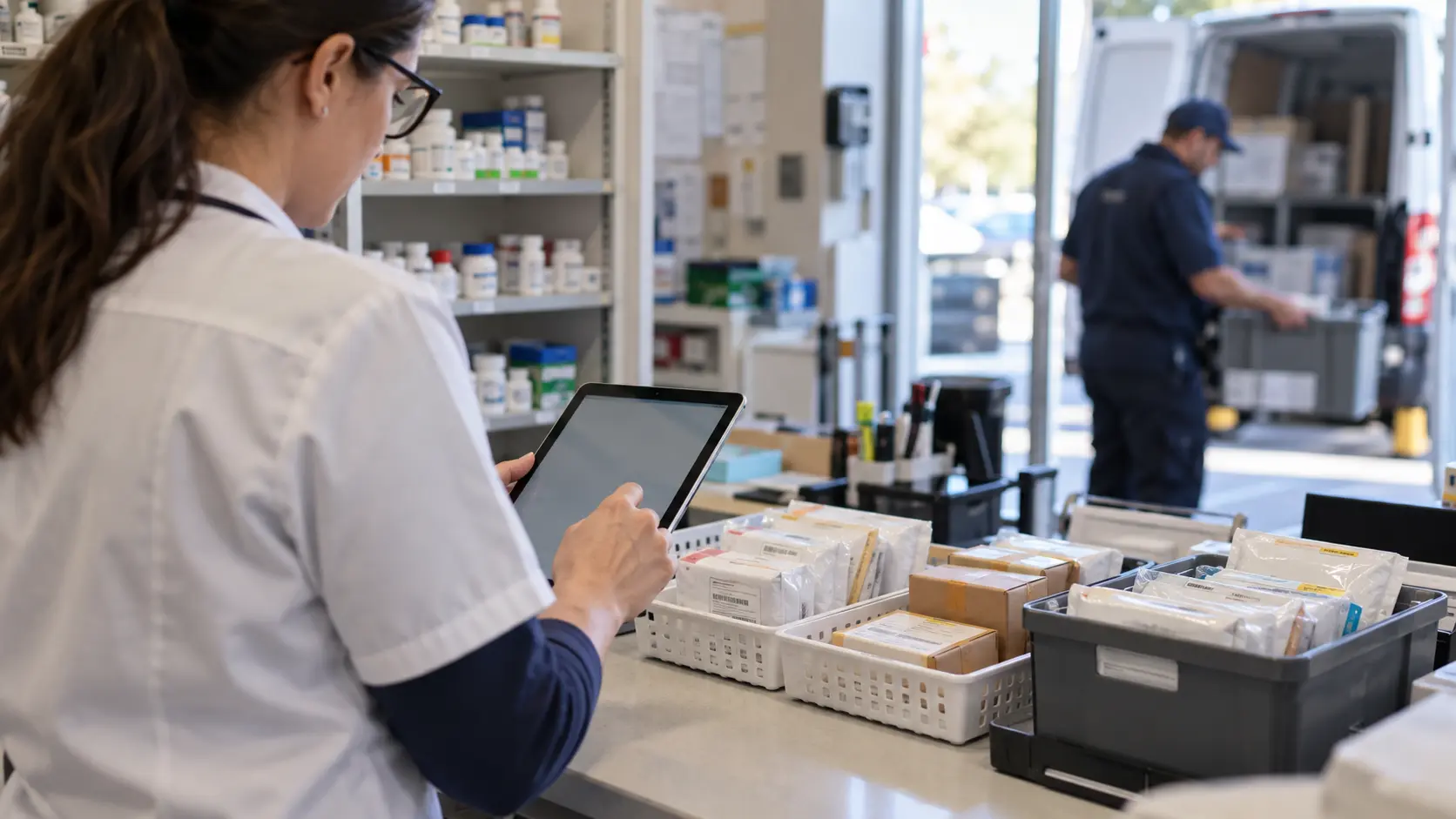
While route optimization determines stop placement, dispatching ensures these stops are executed properly. Proper evaluation includes both. The pharmacy needs to package the medicines, assign the appropriate driver, inform about any changes, and know what is left to be done in terms of routes.
Evaluate how the system copes with:
- Creation of routes based on the orders that have become ready.
- Assignment and rescheduling of drivers.
- Scheduling of stops, their servicing area, and delivery instructions.
- Additional orders that arrive when the route has already been launched.
- Failed stops and the need to return to the pharmacy.
- Sorting and confirmation of packages before sending off.
- Information about assigned, current, delayed, and completed stops.
Think of an urgent order that has become ready during the driver's trip. The right approach is to add it to the current route, launch an additional run, or schedule a new delivery time. The software needs to help employees make the choice considering previously assigned orders.
Do not consider the shortest route to be the best one. Order readiness, patient availability, delivery conditions, and priorities may also play an important role.
Real-Time Tracking and Patient Notifications
Among medical courier software features, tracking and notifications should reduce uncertainty for both staff members and patients. It should help pharmacy staff track individual order statuses and know who the driver is responsible for delivering each particular order. Drivers should get clear instructions. Patients can be provided with relevant information without having to call again and again.
Consider the following aspects of the tracking process from different perspectives:
- Pharmacy staff perspective: Are they able to find out the order status and know which driver delivered it?
- Driver's perspective: Do new instructions appear without causing any confusion about delivery order?
- Patient's perspective: Are they provided with relevant status notifications, and is their way to be contacted taken into account?
Additionally, consider exception management. A driver's GPS location does not say whether the package has been delivered, whether there were problems with the recipient, or any other details that staff members need to know.
According to Rx4Route, their tracking system provides real-time GPS tracking and SMS or phone updates about the process. These features are good examples of functionality the pharmacy should test, especially because they frequently get calls asking when the medication will be delivered.
Proof of Delivery and Data Security

Proof of delivery serves not only as operational records but, under certain conditions, as part of the reimbursement and audit documentation process. Go beyond just looking for an electronic signature button. Verify which records are kept, how records relate to the original order, and how employees can access those records after delivery.
Depending on the mode of delivery, helpful documentation includes the following:
- Name of the recipient or acknowledgment where appropriate.
- An electronic signature or other allowable acceptance documentation.
- Time stamp and location details where applicable.
- Photographs or delivery notes where appropriate and allowed.
- Reason for unsuccessful or refused delivery.
- Documentation of any corrective actions made.
Security should receive individual attention too. Discuss access controls, data transfer, storage, backups, and information drivers have access to. The HHS guidance on HIPAA risk analysis stresses evaluating potential risks to the confidentiality, integrity, and availability of electronic protected health information. Keep in mind the HIPAA minimum necessary guidance, including applicable exceptions, when defining information that should be available to different users.
A purchase of any software does not guarantee a pharmacy's compliance. Adequacy of security measures and documentation depends on pharmacy operations and other factors.
LTC, DME, Billing, and Multi-Location Support
Some pharmacy delivery software features become essential when a business handles more than routine residential prescription deliveries. There can be multiple LTC order deliveries in one go; DME deliveries will have their own documentation and invoicing procedures; the pharmacy chain will require consistent oversight without any loss of branch-level accountability.
It is recommended that you see if the software can meet your specific requirements of:
- Batching several LTC orders at the facility level without compromising order-level details.
- Linking equipment delivery and prescription workflows where needed.
- Accessing the right DME proof of delivery.
- Processing invoice rules, copays, and courier billing.
- Documenting driver payments on the basis of mileage, number of stops, or other arrangements.
- Evaluating branch performance without inappropriate access to data.
The Rx4Route medical courier platform has mentioned LTC batching, invoicing, driver payroll, and multi-branch reporting. The DME delivery management page of this software has mentioned PMS-linked equipment orders, tracking, signatures, photos, and billing tools.
For Medicare-covered DME claims, the Centers for Medicare & Medicaid Services' documentation guidelines specify proof of delivery among the documents required. These DME regulations cannot be taken to apply automatically to all prescription deliveries.
| Capability | Problem it addresses | What to test during evaluation | Most relevant situation |
|---|---|---|---|
| PMS order synchronization | Repeated entry and inconsistent order data | Create, change, and cancel a test order | Pharmacies using an existing PMS |
| Route and dispatch management | Manual stop planning and driver confusion | Reassign an active stop | Operations with scheduled delivery runs |
| Live tracking | Limited visibility into delivery status | Locate one delayed order | Teams handling patient status inquiries |
| Digital proof of delivery | Missing or hard-to-find completion records | Retrieve a signature and timestamp | Any operation requiring delivery evidence |
| LTC grouping | Multiple related orders processed separately | Complete a multi-order facility stop | LTC-focused pharmacies |
| DME documentation and billing | Separate equipment workflows | Match order, delivery evidence, and invoice | DME operations |
| Multi-location dashboard | Fragmented reporting across branches | Review one branch and the network total | Pharmacy chains |
Compare Software Options and Verify Vendors
Quick Answer: Compare different courier software products under the same requirements, testing situations, and cost assumptions by each vendor. Rule out any software product that fails to meet the basic PMS, documentation, and security requirements. For the other products, consider using the weighted scoring method, asking for a practical demonstration, and estimating total costs.
A useful pharmacy delivery software comparison should produce evidence, not piles of feature sheets. Two different platforms may market route optimization as part of their feature set, but they might diverge wildly in how they handle a cancellation, a multiple-order pick-up at one facility location, or incomplete delivery documentation.
Start by compiling a short list of products that seem to have the required functionality. Ask for documentation and a demonstration of the system based on the same tasks. Keep track of the differences between the functions that were demonstrated, the functions described but not demonstrated, and those that would need to be customized.
Compare Pharmacy-Specific and Generic Delivery Software
To understand how to choose medical courier software, first compare the different approaches available for managing pharmacy deliveries. Medical courier software for pharmacies should be evaluated for prescription-related workflows, including order readiness, handoffs, and delivery documentation. The generic system will have efficient routing features for drivers. The pharmacy can also maintain its manual approach and use different software systems, but that will put more responsibility on employees.
Consider these systems based on the actual workload, not on the assumption that all similar products have the same functionality.
| Approach | Strengths to examine | Potential limitations to investigate | Most suitable when |
|---|---|---|---|
| Pharmacy-focused delivery platform | PMS data flow, delivery records, pharmacy-specific statuses | PMS-specific setup, contract scope, configuration | Delivery work is closely tied to pharmacy systems |
| General courier or route software | Route planning, dispatch, broad driver management | Pharmacy data exchange and specialized documentation may require other tools | Delivery requirements are relatively simple, and integrations are supported |
| Separate manual tools | Familiar processes, flexibility for a small operation | Repeated entry, disconnected records, inconsistent handoffs | Delivery activity is limited and existing processes remain manageable |
Selection could be determined by the increasing size of volume and services. If PMS status reporting and DME documentation are crucial, they should take priority over the route planning program's aesthetic appearance. If the pharmacy has straightforward activities, then usability and execution may be more important than the number of features.
Build a Weighted Software Comparison Scorecard

A pharmacy delivery software comparison becomes more consistent when each option is rated with the same scorecard. Begin by defining absolute necessities. A solution failing at least one necessity does not necessarily get picked because of high ratings of optional criteria.
In case of passing the absolute check-up criteria, use the following steps:
- Define weights for each criterion according to the pharmacy's preferences.
- Grade all vendors using the same rating range, for instance, 0 to 5.
- Document grounds for every rating, ideally based on demonstration.
- Compute weight multiplied by rating; sum up the values.
- Consider possible drawbacks, requiring workarounds or additional expenses.
- Choose a candidate for deeper testing, but do not consider ratings the final decision.
Weights listed here are only examples of an evaluative framework and do not represent industry-standard percentages. Adjust them for a vendor review.
| Evaluation criterion | Illustrative weight | What a strong assessment should demonstrate |
|---|---|---|
| PMS integration and order accuracy | 25% | Successful creation, updates, cancellations, and status exchange |
| Dispatch and driver workflow | 20% | Clear route changes, package handoff, and exception handling |
| Proof of delivery and reporting | 20% | Complete delivery records that staff can retrieve reliably |
| Security and access management | 15% | Appropriate documentation, permissions, and contract terms |
| Implementation and support | 10% | Credible onboarding plan, training, escalation, and responsibilities |
| Total cost and scalability | 10% | Comparable written costs and clear expansion terms |
For instance, a high score on interface design should not offset a failure to transfer canceled orders correctly. Treat absolute requirements as gates and weighted scoring as a tool for distinguishing otherwise suitable options.
Verify Security, Compliance, and Vendor Documentation
A software demonstration will not reveal the entire security model. Ask for information regarding the data that comes into the system, who can access it, how long the data is kept, and how access will be revoked if necessary. This is critical if the delivery information contains patient identifiers or any other protected information.
Questions you may ask include:
- Role-based access control for pharmacists, dispatchers, managers, and drivers.
- Authentication requirements and disabling access for departing employees.
- How data transfer, encryption, logging, and backup will take place.
- What incident reporting policies and business continuity plans exist.
- Data export and deletion policy upon termination of the contract.
- Sub-processors and third-party service providers who handle patient data.
- Whether a business associate agreement would be appropriate in your situation.
According to HIPAA and cloud computing guidance, a cloud service provider that creates, receives, maintains, or transmits electronic protected health information on behalf of a covered entity or business associate has its own business associate responsibilities. The issues need to be addressed in the agreement.
The NIST Supplier Risk Assessment Guide provides a framework for conveying security requirements to technology vendors. It is not an endorsement of any specific courier system. Ask for supporting documentation pertaining to the product used by the vendor and your pharmacy.
Calculate Total Software and Implementation Costs
In a pharmacy delivery software comparison, a lower subscription fee does not always mean a lower total cost. For all vendors, compare the business scenario with these elements: number of pharmacy branches, expected daily orders, active drivers, messaging usage, integration needs.
Get a written description of:
- Subscription, license, or delivery fees.
- Additional expenses for adding drivers or branches.
- Integration with PMS, including configuration, installation, and data migration.
- Dispatcher, pharmacy staff, driver training.
- Messaging or other pay-per-use fees.
- Configuration and ongoing support.
- Contract term, price changes, contract cancellation conditions.
The simple 12-month formula is:
Total estimated cost for the first year = integration costs + 12 months of recurring fees + expected pay-per-use costs + training costs.
Make an estimate based on documented information from the vendor, not assumed costs. Also calculate the cost of manual work that can be automated by the software.
It's an estimation element, not an expected monetary savings.
The pharmacy must select the option with the lowest total cost that reliably meets its requirements.
Check Implementation, Support, and Scalability
A pharmacy delivery software comparison must also consider what happens after the contract is signed. Inquire about the process of onboarding and what aspects of it will remain within the responsibility of the pharmacy. The project might include PMS integration, test orders, user permissions, driver phones, label creation, training, and gradual changeover from old delivery records.
Evaluate the process of implementation:
- Who manages the schedule of integration and testing?
- How are the employees and drivers trained?
- How will the undelivered orders be managed during changeover?
- What support services are available for live operation?
- How are the issues with the software handled?
- What will happen in case of Internet downtime or interruption of the service?
- How are more branches and drivers incorporated into the process?
Check whether there are reporting options available at both store and network level in case of future expansion. Make sure that the option of exporting operational data exists in case of changing platforms.
An implementation method that you might want to choose is running a pilot either in one branch or one delivery run. This would give your employees time to notice any problems without changing the whole workflow at all the pharmacies at once.
Medical Courier Software Choices by Pharmacy Type
Quick Answer: Courier software for an independent pharmacy, regional pharmacy chain, and LTC/DME provider can have distinct functionality needs depending on factors like order types, required integrations, number of branches, driver structure, and documentation. Below are some scenarios that demonstrate differences in priorities, not real-life customer examples.
Prioritize pharmacy delivery software features based on the business model, rather than assuming every pharmacy handles deliveries the same way. A feature critical for an operator managing a number of pharmacies could have little significance for a sole pharmacy running a single delivery route. On the other hand, a small pharmacy making many deliveries with time constraints might place greater importance on quickly reassigning drivers.
Take these examples to identify a known pattern from your operations. It’s not about recommending certain platforms for each type, but to define what to test first.
Choosing Software for an Independent Pharmacy
Example situation: A local pharmacy delivers orders all through the day using their drivers. Currently, delivery data is transferred manually between the PMS and another list, and patients are called back if they need the information on their deliveries.
Its capability choice must focus on a limited number of abilities:
- A reliable transfer of ready-to-deliver orders from the PMS.
- Displaying unassigned, ongoing, and finished deliveries.
- Quick route creation without re-inputting addresses.
- Drivers' access to current instructions.
- Electronic confirmation that can be obtained by staff at the pharmacy.
- Delivery statuses that reflect real patient deliveries.
When demonstrating the software, a technician must be able to find, assign, update instructions for, and find the completion record for a test order without any help from a programmer.
In such a case, simplicity of the system might prove more useful than comprehensive financial reporting tools. Even an unsophisticated system with no PMS integration can generate much work. Start with integration and usability, then compare other features and prices.
Choosing Software for Multi-Location Pharmacies
Scenario example: A pharmacy company has several branches making orders for various communities. There is a need for an overview of delivery progress, but the employees in each location must be able to manage their own orders.
First things to find out: Are there visibility and accountability issues? Does the software know the location of each order? Do managers have the ability to track deliveries and exceptions within the network? Are the access rights appropriate for various employees from different locations?
Prioritize:
- Location-specific order queue and unified management report.
- Uniform definitions of delivery statuses in all locations.
- Driver allocation related to service area and location.
- Reporting by location and overall.
- Access rights depending on the employee and location.
- Predictable location additions and training.
Try a scenario when one location makes changes to an order while the other one has an open route. Software must keep ownership and current status of each order intact.
If a pharmacy chain chooses software without a multi-location demo, it can lead to recreating separate Excel sheets and relying on messenger communication in each location.
Choosing Software for LTC, DME, and Courier Operations

Scenario example: A pharmacy provides services to long-term care facilities while also delivering equipment. A facility may receive several orders, and different delivery types may require different documentation or billing procedures.
The priorities might include:
- organizing facility stops;
- correctly identifying packages;
- completing order-level information;
- visibility of the delivery route;
- invoices;
- means of finding the supporting documents;
- a third-party medical courier company will need certain specific zones of client billing and specific payment terms for drivers.
When evaluating the solution, you will need to show:
- Several related orders delivered to one facility stop;
- traceability of individual orders after grouping handover;
- the proper recipient acknowledgment or delivery proof;
- separate handling of the prescription and DME order data;
- billing procedure reflecting the actual client contract;
- reports for the pharmacy, courier service, or branch.
The Rx4Route DME solution integrates prescription and equipment deliveries in the PMS-integrated operation workflow. Whether a process meets the documentation requirements of the payer depends on the specifics of the order, delivery method, and rules.
The perfect fit is the platform where these exceptions become regular business processes, not an additional task for tracking through separate files.
Common Mistakes When Choosing Delivery Software
Quick Answer: Common pitfalls include choosing the lowest-cost quote as the best value, taking an integrator’s word without testing any orders, and overlooking documentation or expansion potential. To avoid these problems, it is necessary to make clear what is needed, observe real-life workflow, and calculate the cost.
In many cases, errors made in buying software are hard to see during a sales visit. A nice-looking dashboard might have a hard cancellation procedure hidden behind it. A cheap option may need additional software to invoice customers. A proof of delivery screen can look fine until it is needed months later.
A good buying procedure will help detect areas that will be problematic when it comes down to working. Look at the transitions from PMS, through dispatcher and driver to delivery person and invoicing records.
Choosing Software Based on Price Alone
Knowing how to choose medical courier software also means looking beyond subscription prices to integration costs, staff workload, and future fees. The cheapest quote may not account for how many drivers you need or the help required to integrate the platform across your company's locations.
Hidden costs can be:
- One-time PMS integration or setup fee.
- Fee for additional locations, users, or deliveries.
- Fees for onboarding and additional training of staff members.
- Additional tools for proof of delivery, communication, or billing.
- Time required for fixing incorrect data during import or delivery.
- Restrictions of the contract making switching difficult.
The true price should be based on similar assumptions about operation and include all costs in the first year. Try to find out what happens in case of increasing the number of deliveries or opening a new pharmacy location.
Price is important, especially for the independent pharmacy. However, the economically reasonable decision is to choose an option that meets your basic needs at an acceptable price. Otherwise, the low price means nothing since your employees still have to do the job that the software should automate.
Skipping PMS Integration and Workflow Testing
In this case, the vendor can show delivery orders appearing on the dashboard without explaining how they get there or what happens if they change. The problem becomes particularly critical if the pharmacy already has its PMS system, which employees consider the authoritative source of the information.
Testing just the process of creating an order does not provide an answer to the following important questions:
- Is an updated address provided to the driver?
- Does a canceled delivery get deleted or marked?
- Is the status visible to the pharmacy?
- Does a staff member realize if the synchronization fails?
- Are the completed delivery reports linked to the corresponding order?
Make sure the vendor provides a demo of a realistic order, rather than just several random sample screens of the order process. Watch the entire process starting from the initial preparation till the delivery completion for at least one order changed during the process.
Such a software solution may be valuable even if it performs the routine tasks while the exceptional cases are to be reconciled manually.
Overlooking Delivery Records and Future Growth
A delivery management system could work well for regular routes but not for recordkeeping at a pharmacy. The manager would need to review and prove an attempt at delivery, respond to a customer query, or furnish relevant evidence. All of this should not require a manual search through emails or notes.
Here are questions to ask before the purchase:
- How long is data retained, and what do the agreements include?
- What data search options are available (by order, date, location, status)?
- What is available to be viewed after any correction or rescheduling?
- How are documents saved for business use?
- How is it possible to set up extra delivery locations, drivers, and types?
Scaling a solution doesn't mean buying enterprise-grade tools right away. It is all about selecting a system that will make future growth harder due to its architecture.
A pharmacy that operates only one store today but wants to open a second should focus on location-based features and reporting. If you want to enter DME delivery services, you'd better analyze documentation needs before offering such services.
Expert Tips for Testing Medical Courier Software
Quick Answer: Test the full pharmacy delivery process rather than its individual components. These components should include the normal order, revised order, failed delivery, and retrieval of evidence from the past. The acceptance criteria must be defined in advance, and the software users involved in the test.
A successful demonstration shows how medical courier software features support the tasks your team performs on a busy day. Try to include participation from a pharmacy worker, dispatcher, and driver if you can. Instead of using actual patient data, use dummy test data and note the processes that succeed independently of the vendor.
The Rx4Route strategy for pharmacy deliveries was developed with company founder Erkin Sattarov's background as a delivery driver in mind. This gives a sense of why package tracking, route changes, and completion reports are as important as an eye-catching dashboard.
Test the Complete Pharmacy Delivery Workflow
Use one test order throughout the entire process. The following five-step procedure takes into consideration the actual order generation, preparation, sending out, execution, and documentation process.
- Generate the order. Designate the order in the test PMS system and see how the order gets dispatched.
- Route planning. Assign the order, verify delivery instructions, and measure the time needed to prepare the route.
- Package preparation. Examine the driver’s package identification or scanning process and the information during the pickup.
- Delivery management. Trace the status of the order from its dispatch up to the delivery and test if the delivery instructions could be modified by the staff.
- Completion and retrieval. Take the appropriate proof of delivery and search for it again in the pharmacy system.
The vendor must not be permitted to bypass complicated transitions between stages. A successful demonstration creates a coherent trace of the process from the initial order to the end delivery status.
Simulate Failed Deliveries and Urgent Order Changes
Standard deliveries alone are not sufficient. Make the vendors show how they handle cases where patients become unavailable, addresses change, orders are canceled, or drivers have to take back the undelivered goods.
Include at least three more exception cases in the testing scenario:
- Emergency case: The new order pops up while the route is already in progress. Analyze the reassigning of the order and the updated route instructions.
- Failed delivery: It's impossible for the recipient to accept the delivery. Check the recipient status, the notes, and the follow-up procedure.
- Loss of connectivity: The driver experiences a temporary loss of mobile internet connection. Determine which information can still be accessed and how the statuses are going to be reconciled.
Some systems might provide for such exceptions by customizing the settings, not the default screens. However, this is acceptable only if the costs of the proposed implementation are accounted for. Just make sure to document the workaround procedures clearly.
Use Measurable Acceptance Criteria Before Purchase
Define success ahead of time before conducting the demonstration. An ambiguous goal like “easy to use” is hard to judge across products; a concrete criterion like “a dispatcher is able to access the completed delivery record without vendor assistance” would be much better.
Test the following items for each product by the same criteria:
- Order creation, modification, and cancellation happen accurately.
- Driver assignment and modification continue to be comprehensible.
- Necessary proof of deliveries gets collected and becomes accessible.
- Employees are capable of doing their assigned tasks with minimal training.
- There is a clear method of recovery for failed/aborted actions.
- Users get information pertinent to their function.
Measure completion rate, number of errors, manual interventions, and time required for completing crucial tasks. The NIST guidance on digital authentication can also be used in security-related discussions of user authentication; however, the proper controls need to be selected for the particular pharmacy environment.
A vendor demonstrating good results in regular and exception cases looks better than the one giving an impressive presentation about its functionality.
Pharmacy Delivery Statistics That Matter
Quick Answer: Pharmaceutical industry statistics help inform decisions about software choice; however, they can't replace the actual metrics your pharmacy provides. Rely on reliable industry statistics to grasp the diversity of pharmacy service options, and then measure dispatch time, manual entries, delivery exceptions, and proof of delivery completeness at your company.
Figures are important where they help make a decision. Figure 1 provides information on independent pharmacies in the market, while Figure 2 explains why the special workflow is important. Neither of these two figures shows how much time a specific pharmacy can save using the delivery service platform.
For the purpose of selection, classify the figures into three different categories, namely: industry figures published independently, regulatory documentation, and your own figures from workflow measurements.
Industry Data on Pharmacy and Delivery Operations
The NCPA Digest 2025 report gave an estimate of 18,960 independent community pharmacy establishments in the US in July 2025. In addition, 55 percent of the surveyed independent community pharmacies provided services for long-term care patients. The latter figure shows the provision of LTC services by respondents rather than the proportion of LTC deliveries.
This matters because pharmacy establishments vary in size and service offerings. A software purchasing guide needs to consider such variations rather than treat all pharmacy establishments as similar in terms of stops and transfers.
Record retention requirements could prove just as important. In its September 2025 guidance concerning DME proof of delivery, CMS stipulates that suppliers should retain proof of delivery records for seven years from the date of service for the DME covered in this guidance. This demonstrates why the issue of record-keeping and retrieval should be considered when evaluating DME software.
This information helps you formulate questions but says nothing about the software provider's reliability or expected return on investment.
Operational Metrics to Measure Before Choosing Software
To judge which pharmacy delivery software features matter most, establish a baseline covering both normal and busy delivery periods. The same definition must be used both before and after the pilot phase.
| Metric | How to measure it | Decision relevance |
|---|---|---|
| Daily delivery volume | Count dispatched and completed orders by day | Determines capacity and workflow needs |
| Manual order-entry time | Record minutes spent entering or correcting deliveries | Tests the value of PMS synchronization |
| Dispatch preparation time | Measure time from ready queue to driver assignment | Evaluates planning and sorting tools |
| Failed delivery rate | Divide unsuccessful attempts by total attempts | Identifies exception-handling requirements |
| Missing delivery records | Count deliveries lacking required evidence | Evaluates proof-of-delivery reliability |
| Patient status inquiries | Count calls or messages requesting delivery status | Evaluates tracking and notifications |
| Billing corrections | Record invoice or driver-payment adjustments | Evaluates finance workflow accuracy |
For instance, if status inquiries take up much of the staff’s time, emphasize tracking and notifications in the demo. In cases where record reconciliation is always done manually, integration and documentation would have more importance.
Improvements can only be measured after an implementation takes place. The results will vary depending on the workload of the pharmacy, among other factors.
Software Selection in Practice: A Worked Scenario
Quick Answer: An effective approach to decision-making involves reviewing a particular pharmacy's needs, eliminating options that fail basic tests, and then assessing the remaining options based on workflow efficiency and cost. The example below illustrates this process without involving any fictional incidents involving a customer.
Consider a pharmacy that handles prescription preparation within a PMS but uses another list to manage delivery arrangements. The staff wants less duplication of work, better driver allocation, and easy access to the record of completed deliveries. Management is also thinking of extending delivery operations, and thus the system must not make grouped delivery stops too hard to do.
For the pharmacy, the first order of business isn't selecting the software vendor with the longest feature list.
Walk Through a Pharmacy Software Selection
When you have decided which platforms are most relevant to your business needs, you can proceed to testing the platforms. Begin with those that offer integration, route planning, delivery tracking, and proof of delivery. Then set up a realistic delivery case for the vendor to demonstrate how its system deals with it.
The following actions should be performed when you are evaluating a platform:
- Order import: Verify that a prescription ready for delivery is imported from your PMS correctly.
- Delivery details update: Change the delivery instructions and see if the dispatch is updated.
- Driver assignment: Set up a route and adjust it easily.
- Delivery results: Register one successful and one failed delivery attempt.
- Documentation: Access signatures, timestamps, and other records required by you.
- Comparison of practical details: Analyze the prices, security features, installation procedures, and customer service.
If the vendor cannot do something your pharmacy needs every day, don't choose it for additional functionality or a lower price.
Follow the same checklist to test all vendors, and then test your choice on a smaller scale.
Evaluate the Outcome Before Signing
Before making a final decision on which platform to go for, run a pilot to assess the effectiveness of the system in carrying out pharmacy operations. Have staff members record the number of manual corrections, the time it takes to prepare for dispatch, and the time it takes to get delivery status and related documentation. Drivers need to notify management about confusing directions as well as situations when extra phone calls have to be made.
Check whether the pricing offered covers all users and pharmacies as well as different types of deliveries you make.
Use the results obtained to determine what action to take next:
- Go ahead if there are no problems with order synchronization, driver capability to make routine and emergency deliveries, quick access to documentation, and contract terms are favorable.
- Ask for improvements or another trial run if there is some feature that requires additional work.
- Take any other course of action if the software cannot be used to ensure necessary integration, documentation, and security.
While a successful demo may indicate a positive experience, testing the software on real deliveries is necessary to get a better idea of the strengths and weaknesses of the platform.
Conclusion: Make a Confident Software Decision
Selecting medical courier software for pharmacies is a decision about order flow, staff responsibilities, data exchange, and delivery documentation. The best strategy is based on your existing processes, finding what can be improved and translating those improvements to purchasing criteria.
Your primary focus should be on PMS compatibility, reliable order synchronization, order dispatching, real-time delivery tracking, and proof-of-delivery documentation. You may use more specific functionality where necessary, such as LTC batching, DME documentation, courier billing, or management of multiple pharmacies. Security, implementation, support, and total cost must be considered too.
A well-documented pharmacy delivery software comparison can help your team make a better final decision. You have to apply the same criteria to all candidates, perform full delivery process testing, and include changed or failed deliveries in that testing. If some crucial function is not demonstrated by your vendor, you cannot consider it implemented just because it is described in their literature.
Rx4Route is an advanced pharmacy delivery management solution that is based on PMS integration, route planning, driver tracking, customer engagement, and documentation of deliveries made. Pharmacies with additional logistics processes beyond medication delivery can also use the medical courier management module and DME deliveries.
If you are considering Rx4Route solutions for your pharmacy, conducting a demonstration using your existing PMS, delivery volumes, and orders will be a reasonable move.
Frequently Asked Questions About Medical Courier Software
How should software record copays collected during delivery?
The system should allow drivers to capture copays received during delivery without storing any payment details on deliveries. This is because the pharmacy needs to reconcile payments to particular orders in case the drivers have delivered multiple orders during one route.
Can pharmacies control what drivers see in the mobile app?
Yes, check whether the system offers role-based access so drivers can only see the information they need. When reviewing Rx4Route, request to look at the access levels for the drivers, dispatchers, and managers when reassignment of orders takes place.
How should patient notifications be configured for prescription deliveries?
Patient notifications are one of the pharmacy delivery software functions that have to be examined with particular attention. Notification messages have to contain informative data while being non-medical in nature. The Rx4Route application can send automated SMS and call notifications.
How do I know if the driver app works on our existing devices?
When comparing pharmacy delivery software options, consider the driver app's compatibility with your current devices and operating system. You should test out the scanning, navigation, notification, and visibility functions on actual phones.
When should a pharmacy review its software after implementation?
Perform the first analysis once staff has had a chance to use the software through normal and peak delivery times. Reassess the software if there have been changes to delivery volume, staffing, or number of pharmacy locations. Compare against the baseline before implementation.
Can pharmacy delivery software manage recurring deliveries?
A key part of choosing medical courier software is checking how it handles recurring deliveries. The process should not require staff to re-enter the same information every time. Each prescription should have its own readiness status, delivery history, and recipient details.
How can pharmacies prevent package mix-ups before dispatch?
The package verification module in a medical courier application is one of the modules that should be tested. Rx4Route application uses a QR code scanner in its package delivery process. Attempt to scan a package that has been assigned to some other route.
Can pharmacy employees and contracted couriers use one platform?
Medical courier management software for pharmacies can support both pharmacy staff and contracted couriers, as long as it includes varied driver roles and permissions. Verify how both receive their tasks, report failures, and document deliveries. The contractors will also need a different process for payments.
How should software handle deliveries to secure buildings or care facilities?
Ensure dispatchers can provide access instructions, contact information, and delivery conditions without revealing any confidential patient information. It is important that drivers can notify the system of any failed attempt to enter the building.
What should happen when a prescription is returned to the pharmacy?
The prescription should be able to be traced back when it is returned to the pharmacy. It is necessary to find out whether the reason for return, the driver who brought it, timestamps, and whether the prescription was successfully delivered to the pharmacy are recorded.
